Creating a VEX report for dependencies
info
VEX reports are generated in JSON format according to the CycloneDX standard.
To create a VEX report, follow these steps:
-
Go to Projects → Project name → Dependencies.
-
Select Create VEX report on the VEX reports tab.
-
In the form that opens, enter the following information to generate the report:
- SBOM files—one or more SBOM files from the list of previously uploaded files that the report will use;
- Report metadata—a list of metadata for generating the report.
infoYou must enter the Organization name and Organization URL metadata.
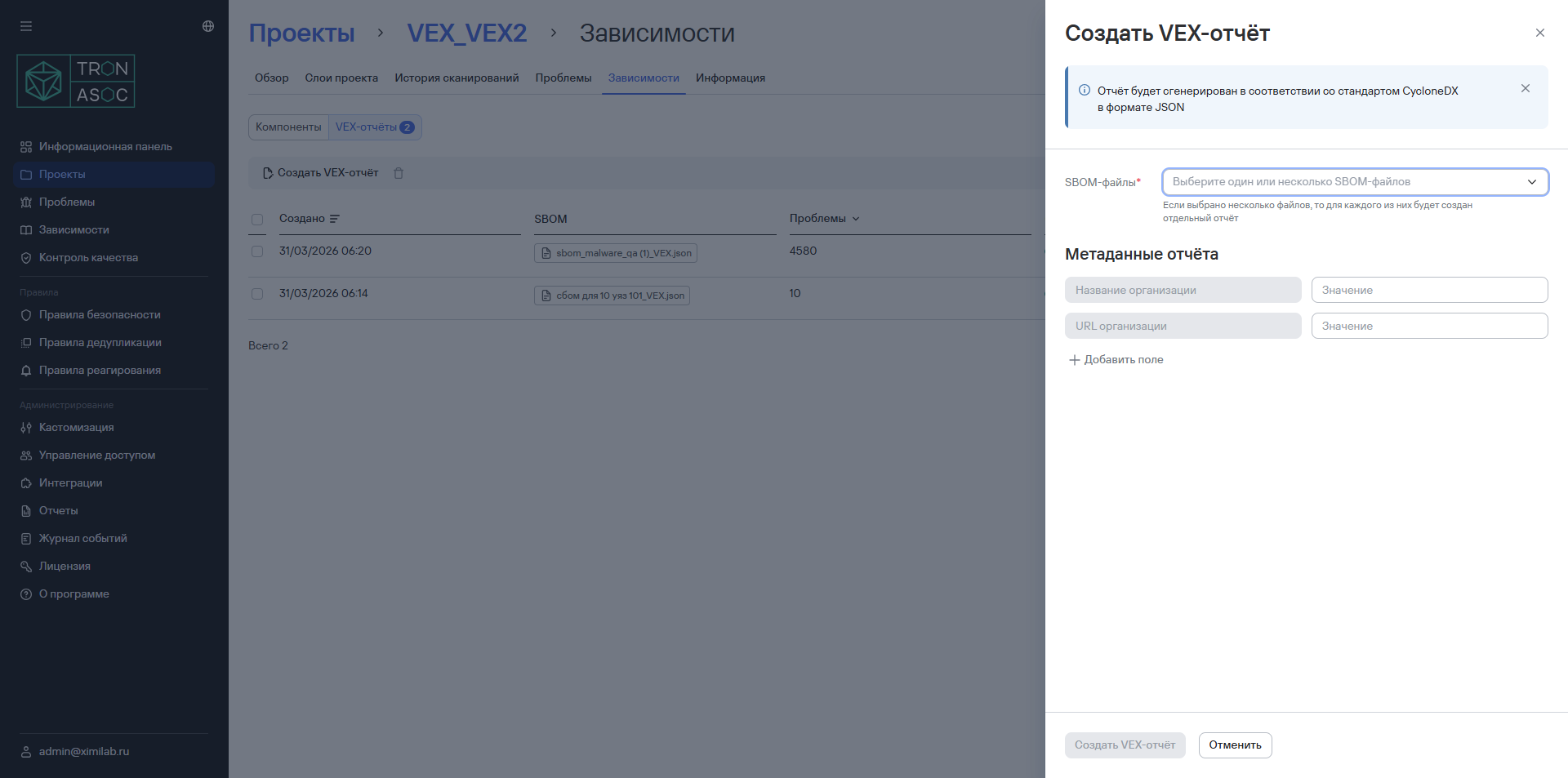
- Select Create VEX report.
The report will then be available in the list on the VEX reports tab.
To download the report, follow these steps:
- Go to Projects → Project name → Dependencies.
- Select the additional actions button (
 ).
). - Select Download.
To regenerate the report, follow these steps:
- Go to Projects → Project name → Dependencies.
- Select the additional actions button ().
- Select Regenerate.
To delete the report, follow these steps:
- Go to Projects → Project name → Dependencies.
- Select the additional actions button ().
- Select Delete.