Workspace elements
Users can perform the following actions on table data in the system interface:
- search data;
- configure table column visibility;
- filter data;
- sort data.
Search data
To search data, use the Search... field above the data table.

info
Search runs in real time as you enter text. The system searches all visible columns.
You can also select a search parameter in the Search... field, for example, project name or vulnerability category.
Configure column visibility
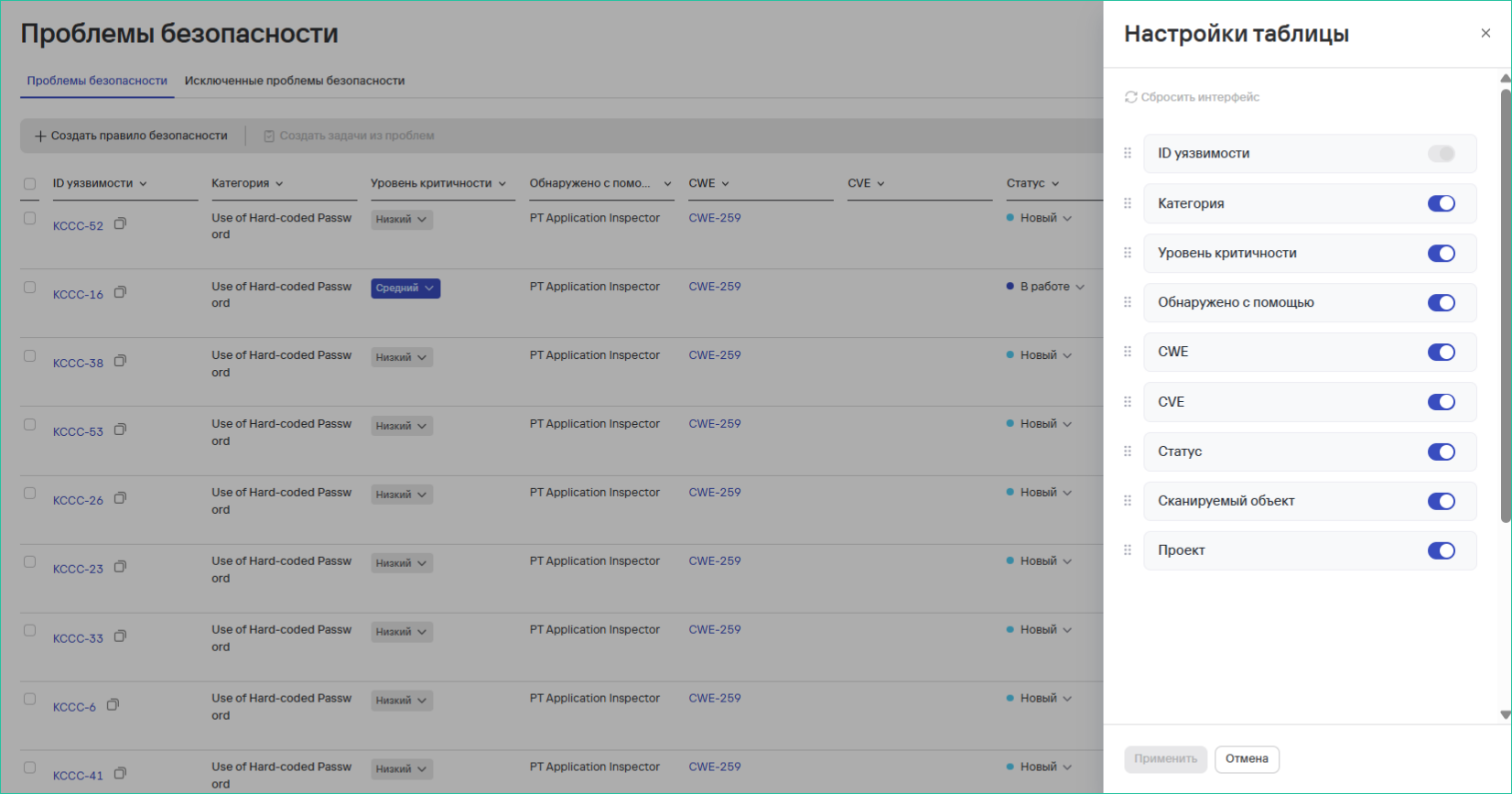
To configure column visibility, follow these steps:
- Select the settings button.
- Select the fields to display in the table.
- Clear the fields that shouldn't appear in the table.
info
Field availability depends on the following parameters:
- type of data displayed;
- selected system section.
Filter data
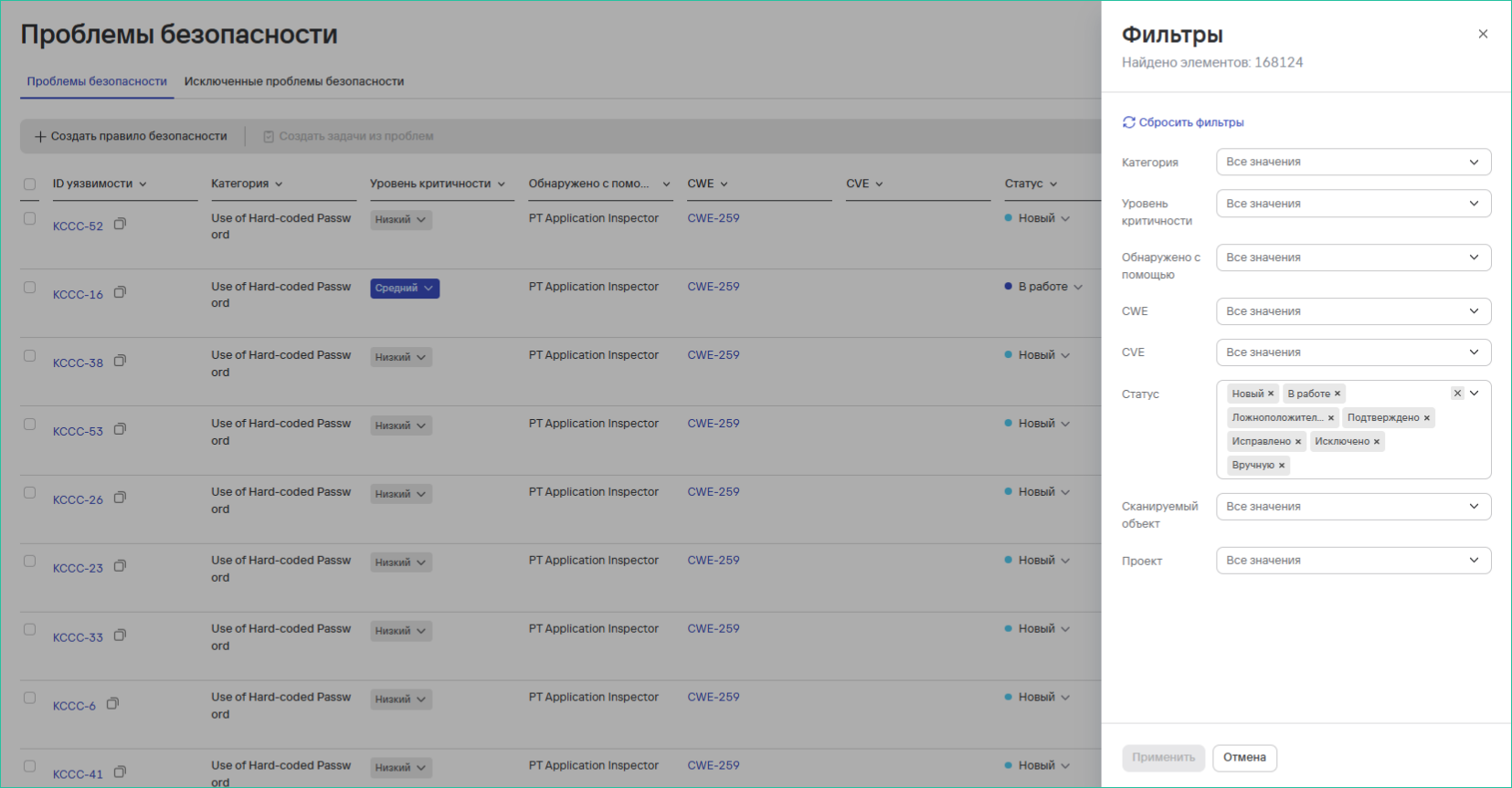
To filter data, follow these steps:
- Select the filter icon (
 ).
). - Select the filtering parameters.
- Specify values for the filters.
info
Filter availability depends on the following parameters:
- current table context;
- selected system section.
Sort data
To sort data, follow these steps:
- Select the heading of the column you need.

- Select a sort option:
- Ascending (↑);
- Descending (↓).