Task Trackers
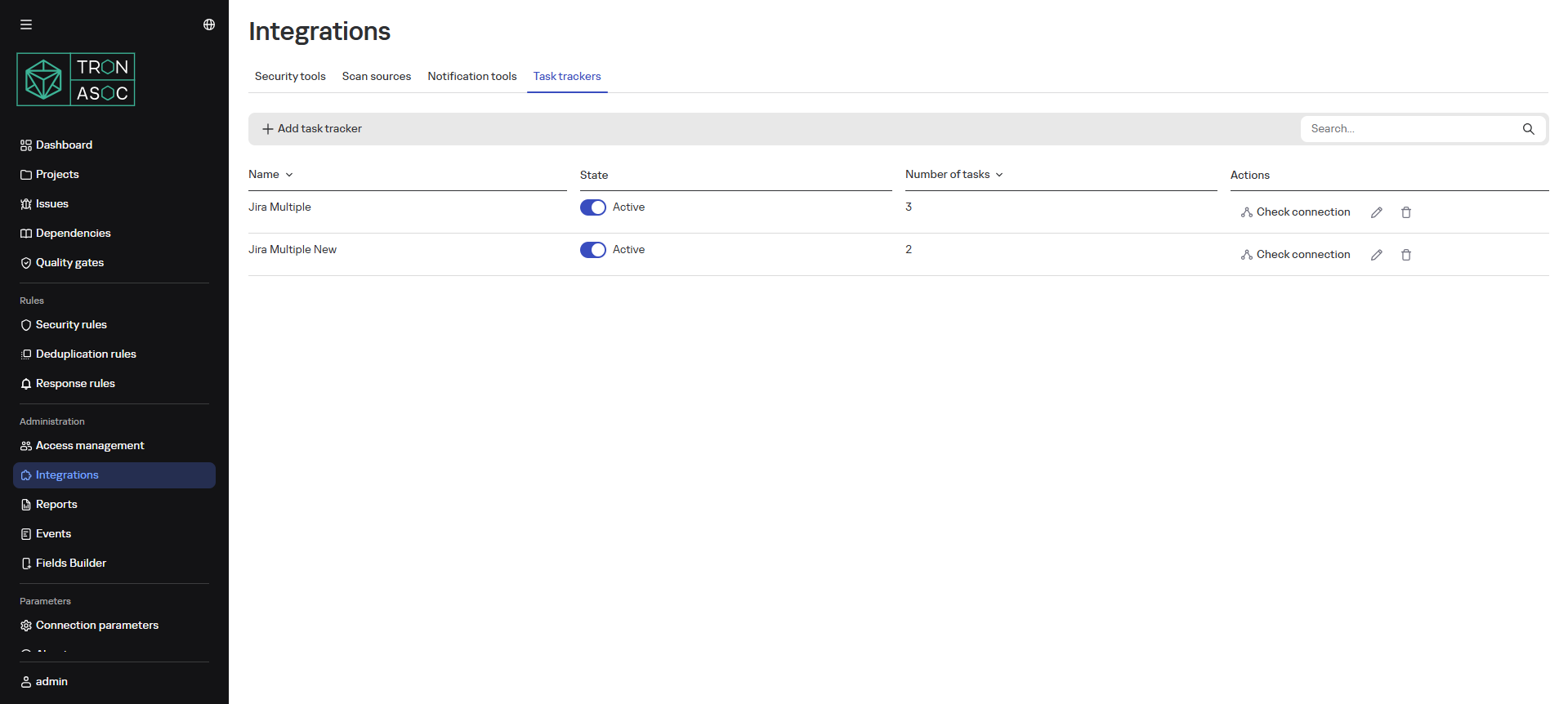
In the Task Trackers subsection, you can configure integrations with task trackers.
TRON.ASOC version 1.2.1 supports integration with Jira software using Jira Cloud REST API v2 (https://developer.atlassian.com/cloud/jira/platform/rest/v2/intro/#about) and Jira Server (10.0). Also, after updating TRON.ASOC to version 1.2.1, it is required to reconfigure the integration with Jira for correct data exchange with the system.
Adding a Task Tracker
To add a task tracker, follow these steps:
-
In the Integrations section, on the Task Trackers tab, click the Add Task Tracker button
-
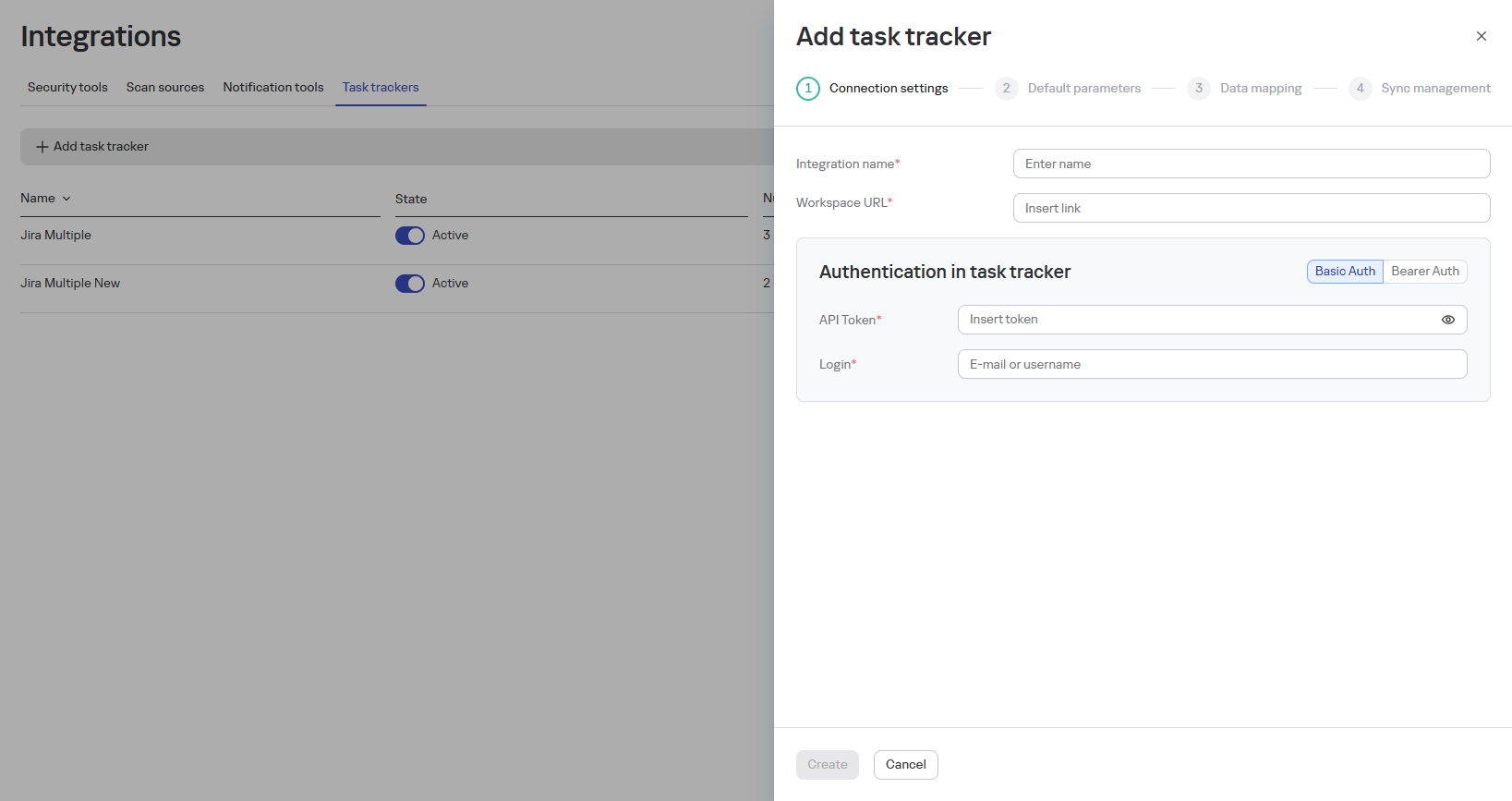
In the opened window, fill in the connection parameters:
- Integration Name (e.g., "Jira Tracker")
- Workspace URL
- Authentication API Token
- Authentication Login
-
Click the Create button
-
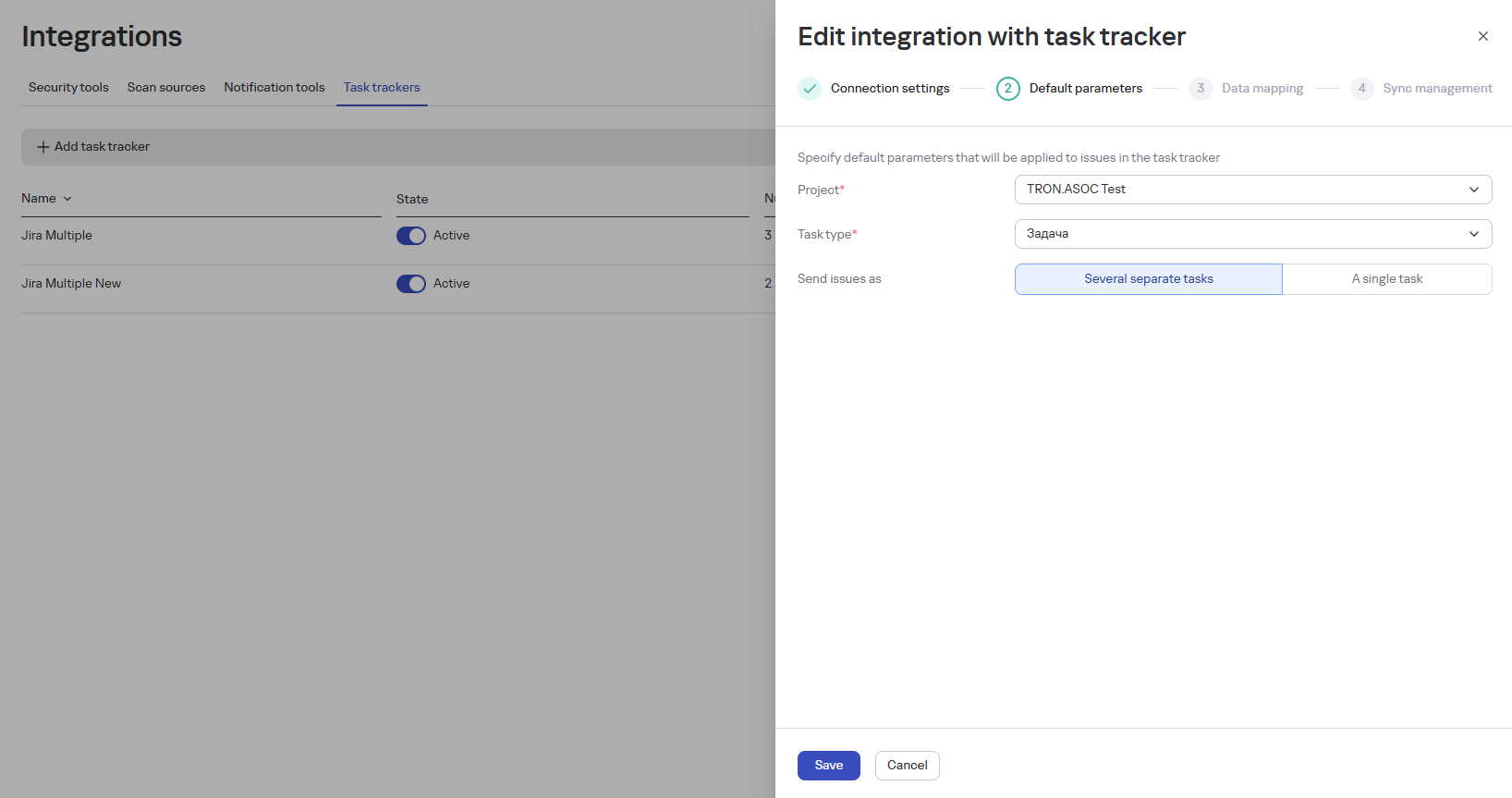
Fill in the task parameters:
- Project
- Task Type
- Epic
- Improvement
- Task
- Sub-task
- New Feature
- Bug
- Task submission format:
-
Multiple separate tasks
-
One common task
-
-
Click the Save button
-
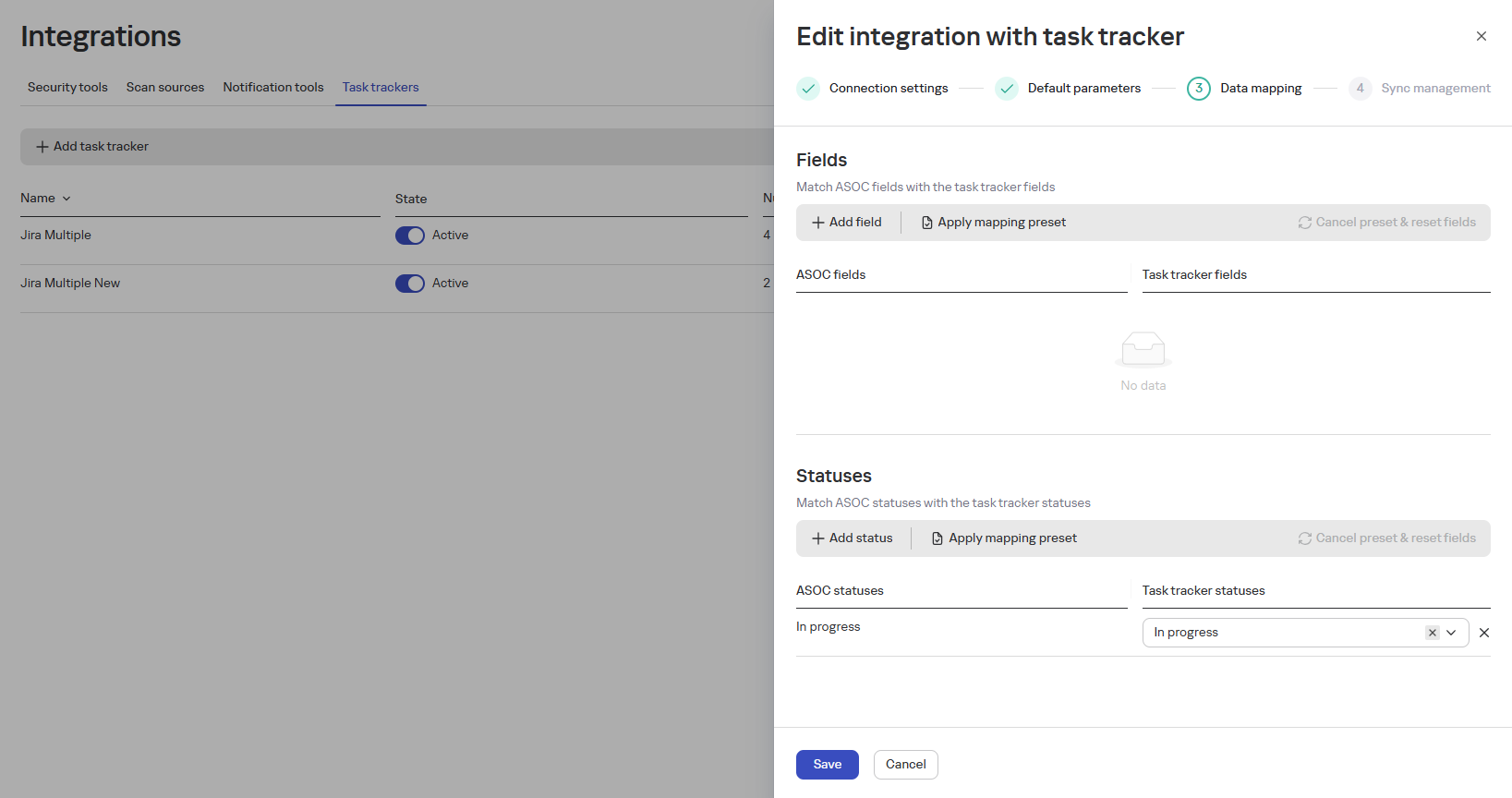
Fill in the task mapping parameters:
-
Use the Apply Preset button to prefill data
-
In the Fields block, specify the correspondence between ASOC fields and tracker fields
-
In the Statuses block, specify the correspondence between ASOC statuses and tracker statuses
-
-
Click the Save button
-
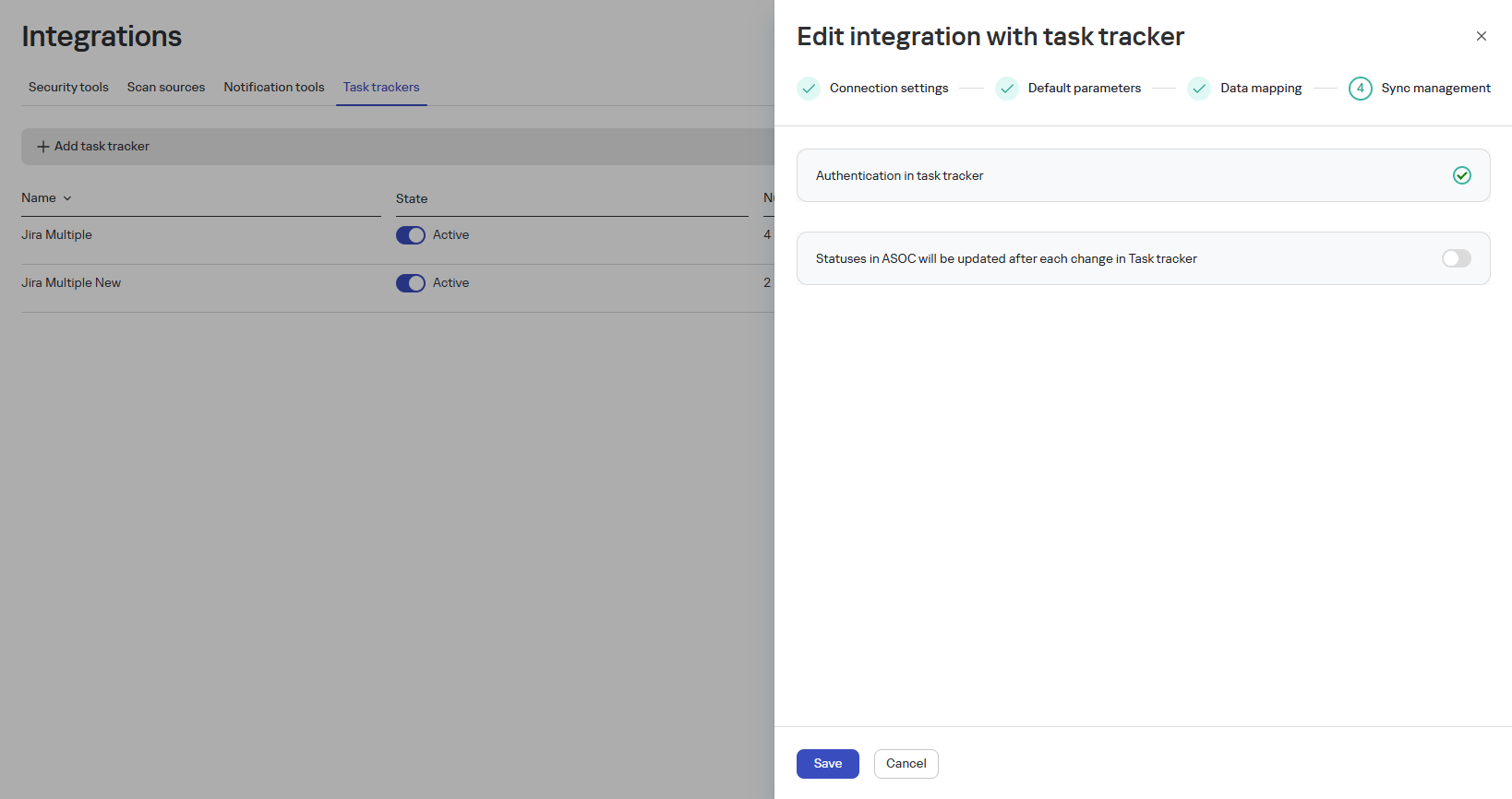
To configure reverse synchronization of changes, activate the option Send changes made in the task tracker to ASOC (this action eliminates the need to manually track task status in the tracker and update data in TRON.ASOC)
-
Click the Save button.
After a successful connection, the tracker will appear in the list with the Active status.
Additional capabilities:
- Test the connection using the Test Connection button
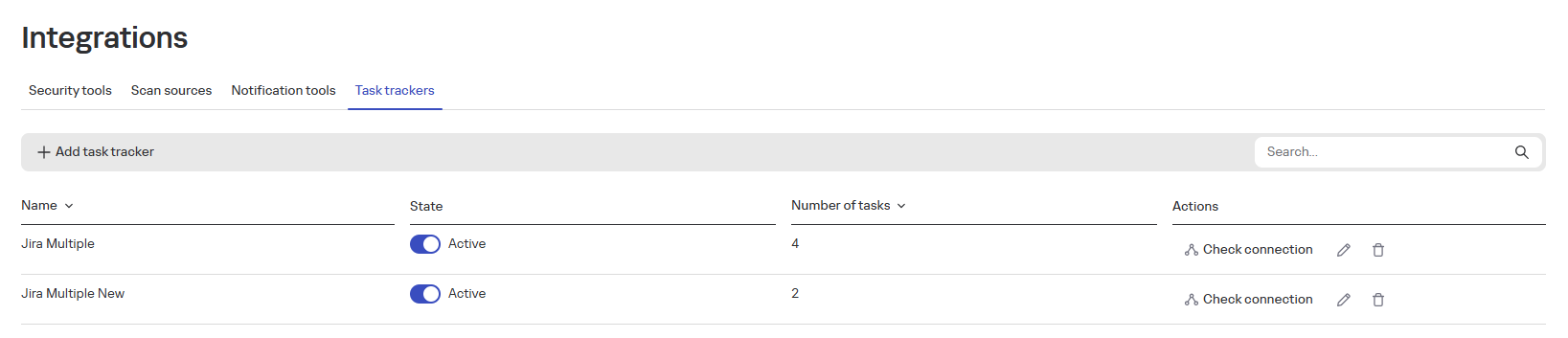
- Disable the tracker by changing its status to Inactive
- Edit/delete the tracker using the corresponding action buttons
 and
and 