Configure the authentication method
After configuring access, select the required authentication method. You can select one or more methods.
The following authentication methods are available:
- Internal users;
- LDAP;
- SSO.
When you select Internal users, only internal system users can authenticate.
To select LDAP and SSO, make sure LDAP and SSO are configured in the system. For configuration instructions, see Configure LDAP and Configure SSO.
After configuring the methods, follow these steps:
- Go to Access management → Groups.
- Depending on the authentication method, do the following:
- Add at least one group that's linked to an LDAP/SSO group, or edit an existing group;
For more information about configuring a link to an LDAP/SSO group, see Field mapping when integrating with SSO services.
- When configuring SSO, add at least one role or group that's linked to the corresponding SSO parameter.
When you add new users to a group linked to LDAP/SSO, the permissions specified for the group are combined with the user's role permissions.
- Select one or more authentication methods in the Authentication method section.
When you select SSO only (Forced SSO), you can't manage users and roles with the internal admin account.
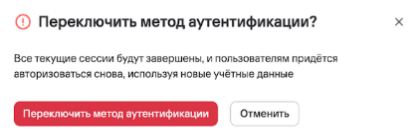
- Select Switch.
Important! When you change the authentication method, all users' sessions end. Users must then sign in with the configured authentication method.