SBOM reports
You can upload SBOM reports for security checks with the following tools:
- KCS;
- OWASP Dependency-Track;
- Trivy;
- Grype;
- CodeScoring SCA;
- Solar AppScreener SCA;
- PT AI.
The system supports SBOM reports in the following formats:
- SPDX;
- CycloneDX.
Upload an SBOM report
To upload an SBOM report, follow these steps:
- Go to Projects → Project name → Security layers.
- Select the required project from the list.
- Go to the Security layers tab.
- Select the additional actions button (
 ) next to the security check.
 - Select Import SBOM.
- In the window that opens, upload the report's JSON file in one of the supported formats.
- Select Save.
After that, the interface displays a notification that the SBOM upload has started. The upload may take some time.
note
For more information about exporting reports from security tools or using the command line, see CLI tools.
SBOM processing statuses
SBOM uploads can have the following statuses:
- After you upload the report, its status changes to In progress.
- After the system processes the report successfully, its status changes to Processed, and the Dependencies section displays a link to the dependencies it found.
The SBOM upload status appears for each security check in Projects → Project name → Security layers.
You can find the complete list of dependencies in Dependencies.
Examples of exporting reports
Export a report from CodeScoring
To export a report from CodeScoring, follow these steps:
- Sign in to CodeScoring.
- Go to SCA → Projects → Project name.

- Select Export SBOM.
- Select one of the available versions.
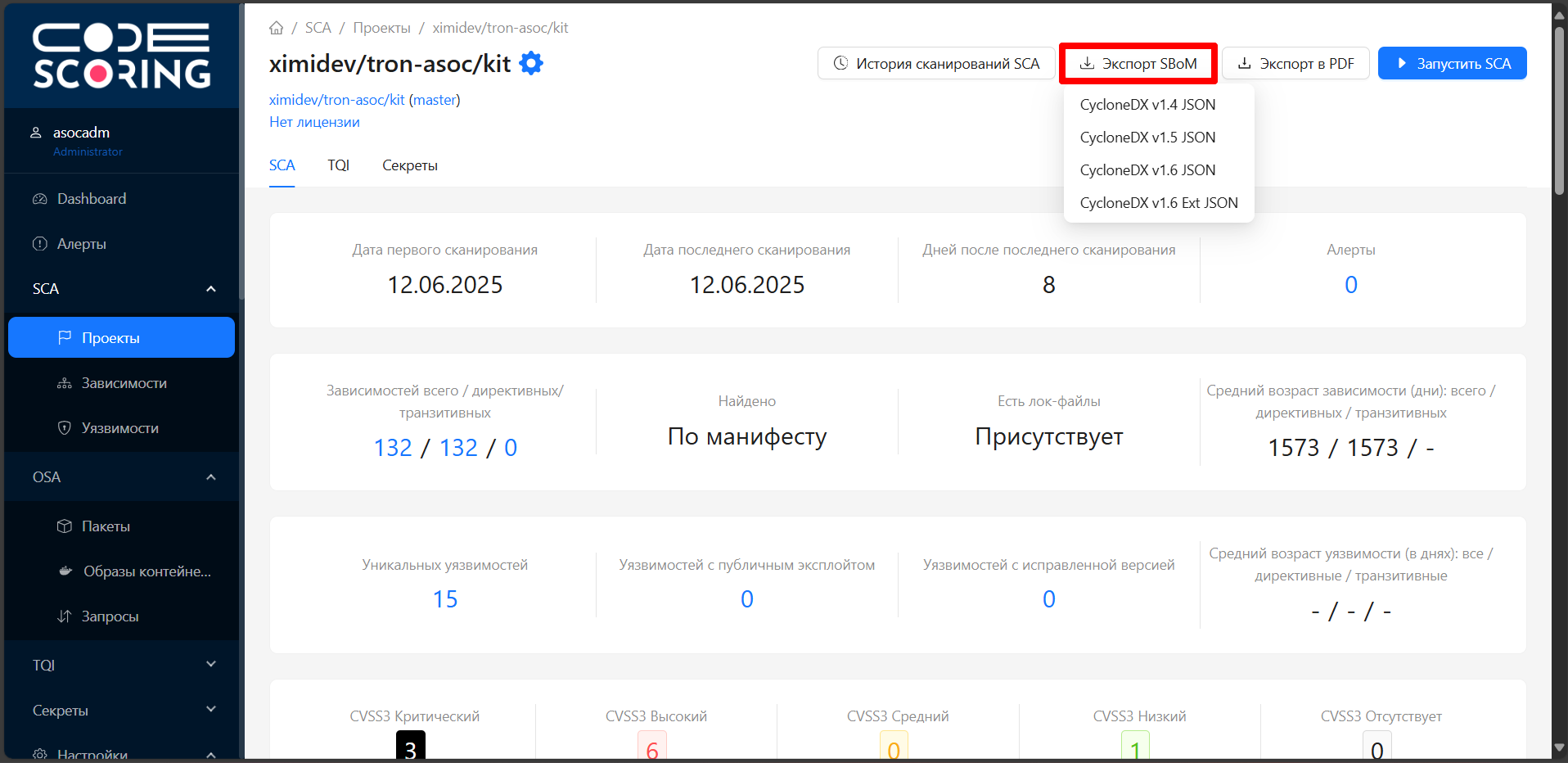
- Upload the SBOM report to TRON.ASOC as described in Upload an SBOM report.
Export a report from PT AI
To export a report from PT AI, follow these steps:
- Sign in to PT AI.
- Go to Projects.

- Go to the detailed information page for the selected project.
- Select Release report.
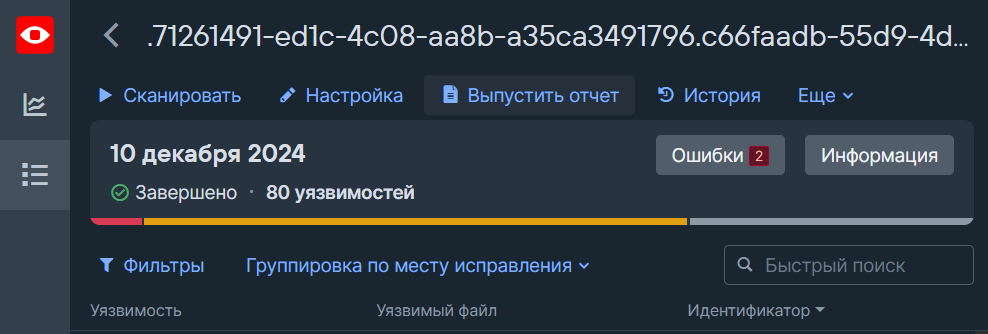
- In the Release report window, select the JSON report report template.
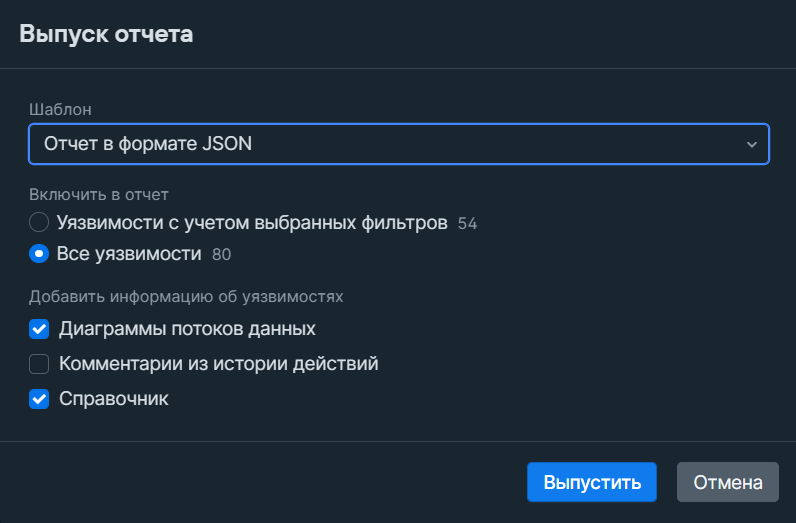
- Select Release.
- Upload the report to TRON.ASOC as described in Upload an external report.