Events
In the Events section, users can:
- view administrative and functional events and system errors for a specified period;
- download CSV reports for events or errors.
The section contains the following subsections:
- Administration;
- Functional events;
- Errors.
Administration subsection
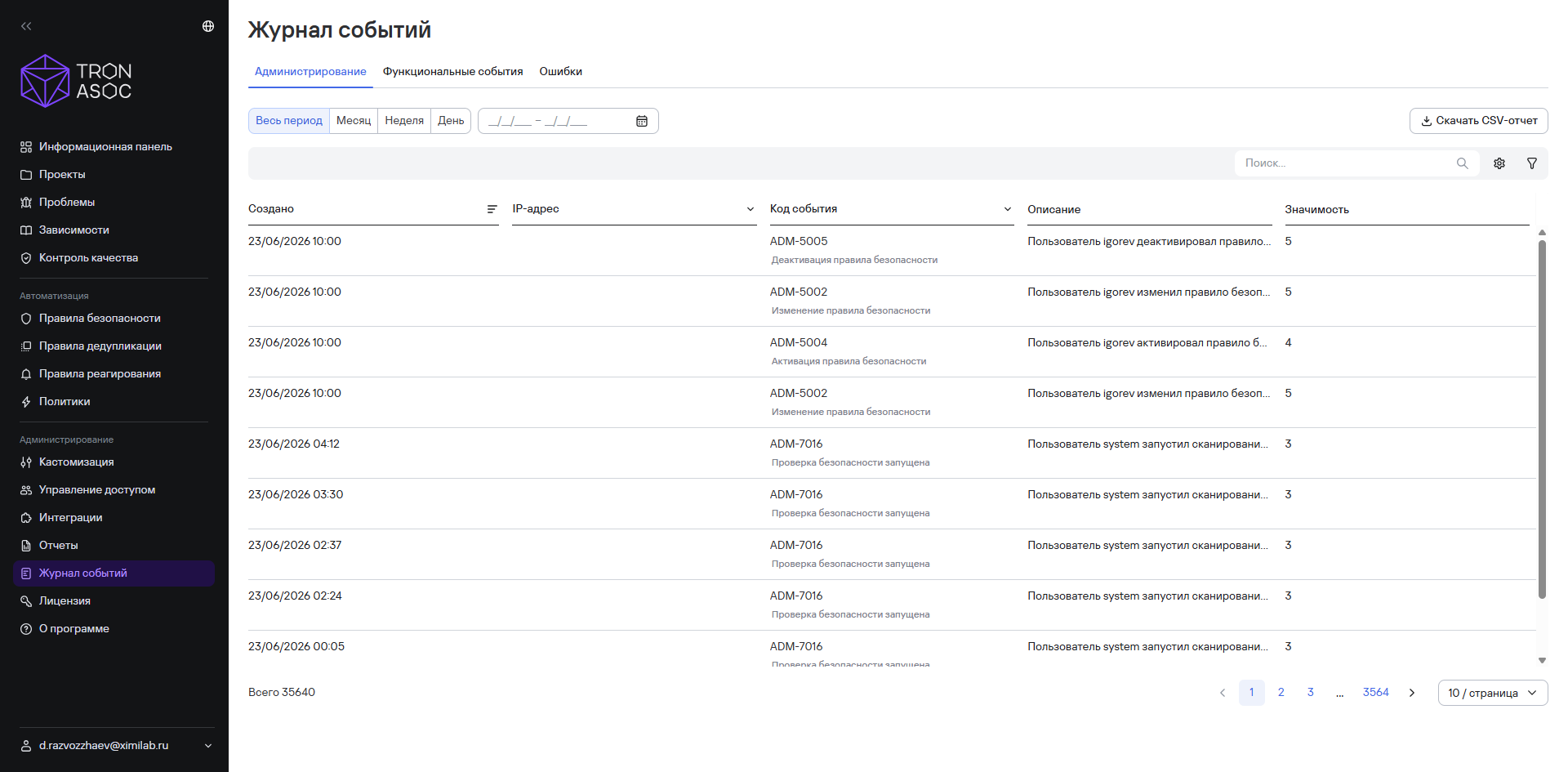
This subsection contains information about the system's administrative events, for example, changing integration settings, starting a scan, creating a security check, and so on. The events appear in a table with the following columns:
- Created;
- IP address;
- Event code;
- Event description;
- Importance.
Functional events subsection
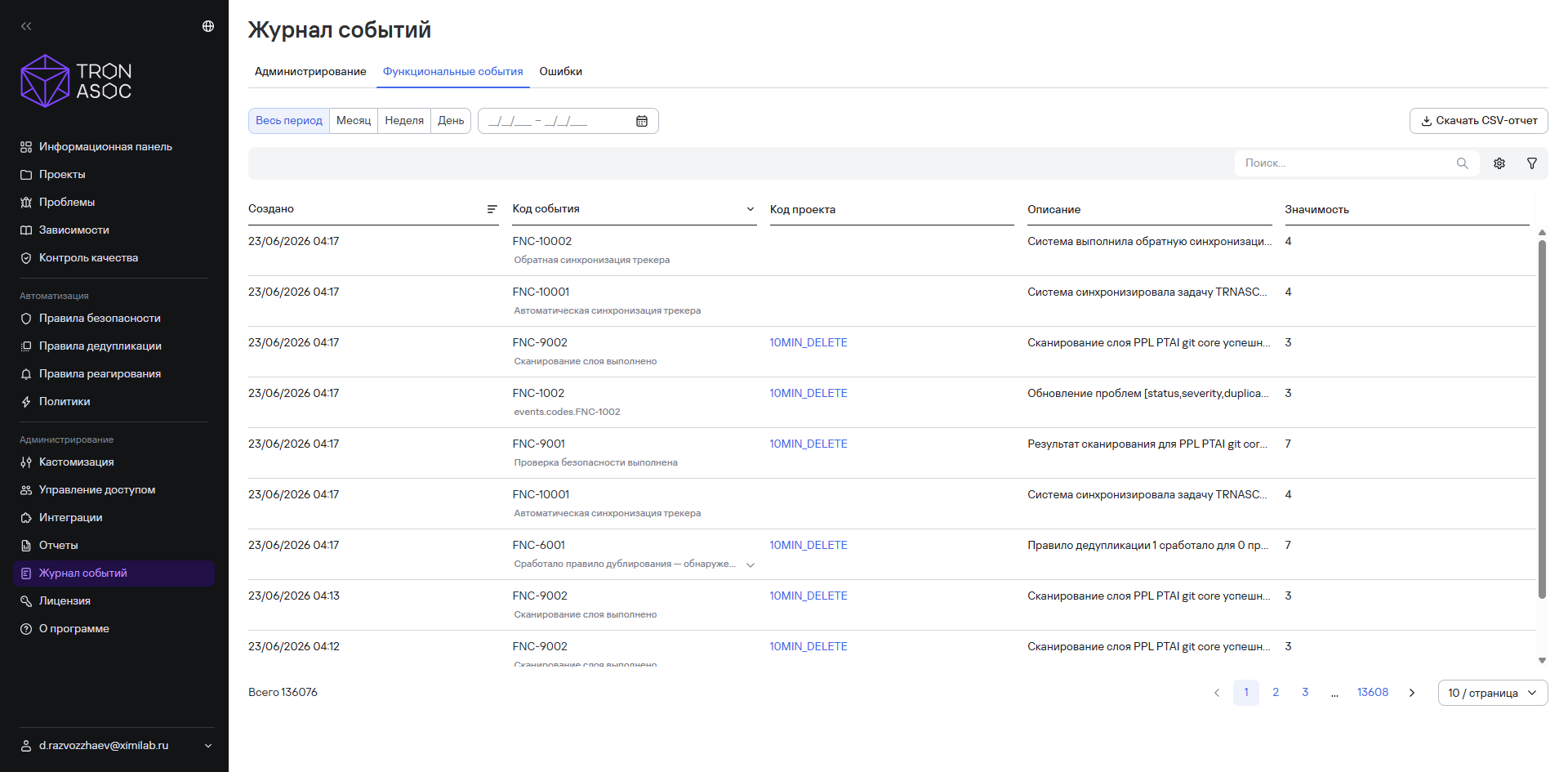
This subsection contains information about the system's functional events, for example, completed scans, scan results, triggered rules, and so on. The events appear in a table with the following columns:
- Created;
- Event code;
- Project code;
- Description;
- Importance.
Errors subsection
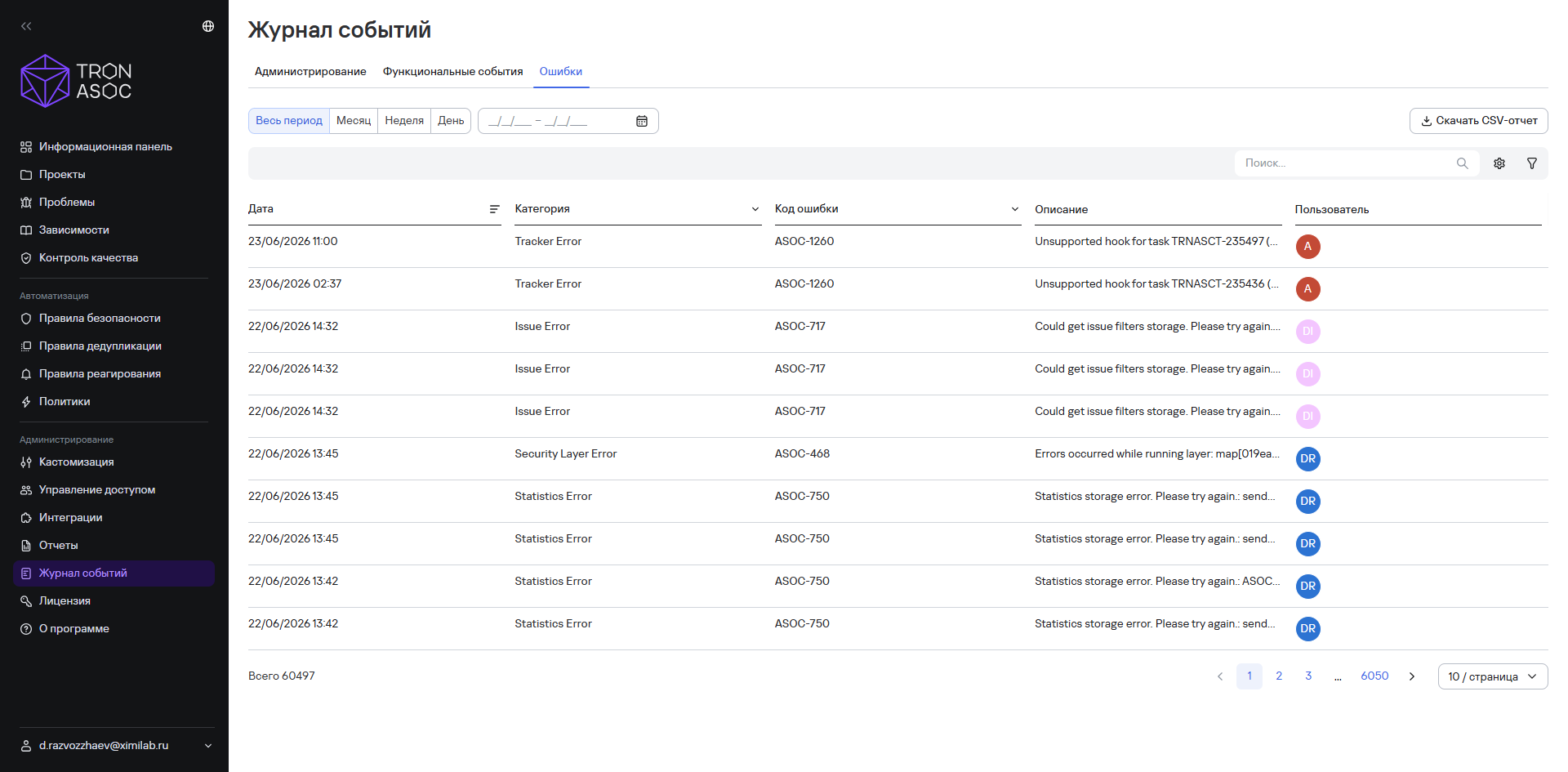
This subsection contains information about system errors. The errors appear in a table with the following columns:
- Date;
- Category;
- Error code;
- Description;
- User.