Security Issues
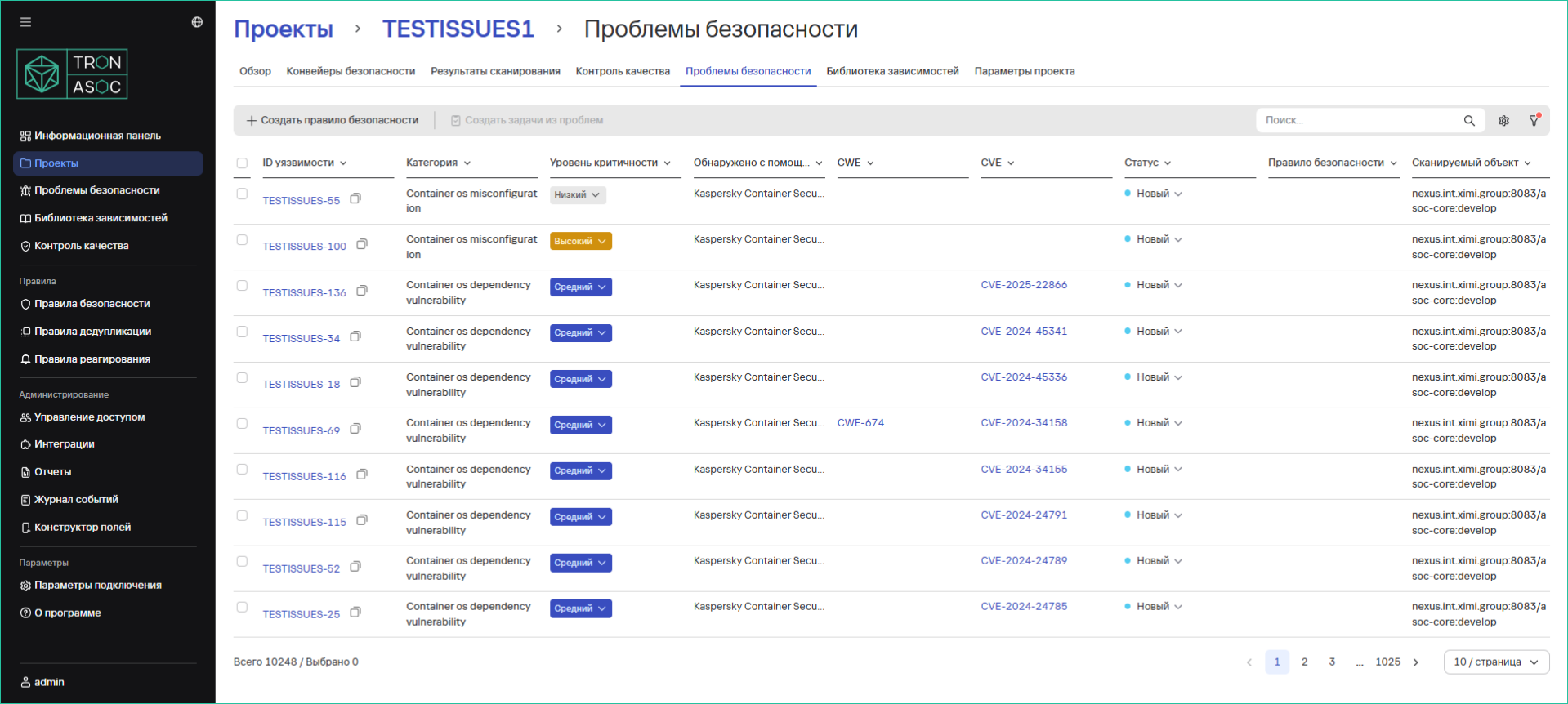
The Projects → Project Name → Security Issues section (or the Security Issues section from the left main menu) displays:
- All vulnerabilities found in the project
- Their severity level
- Additional information:
- Detection tool
- Location of discovery
- CWE and CVE identifiers
- Security issue statuses
- Applied rules
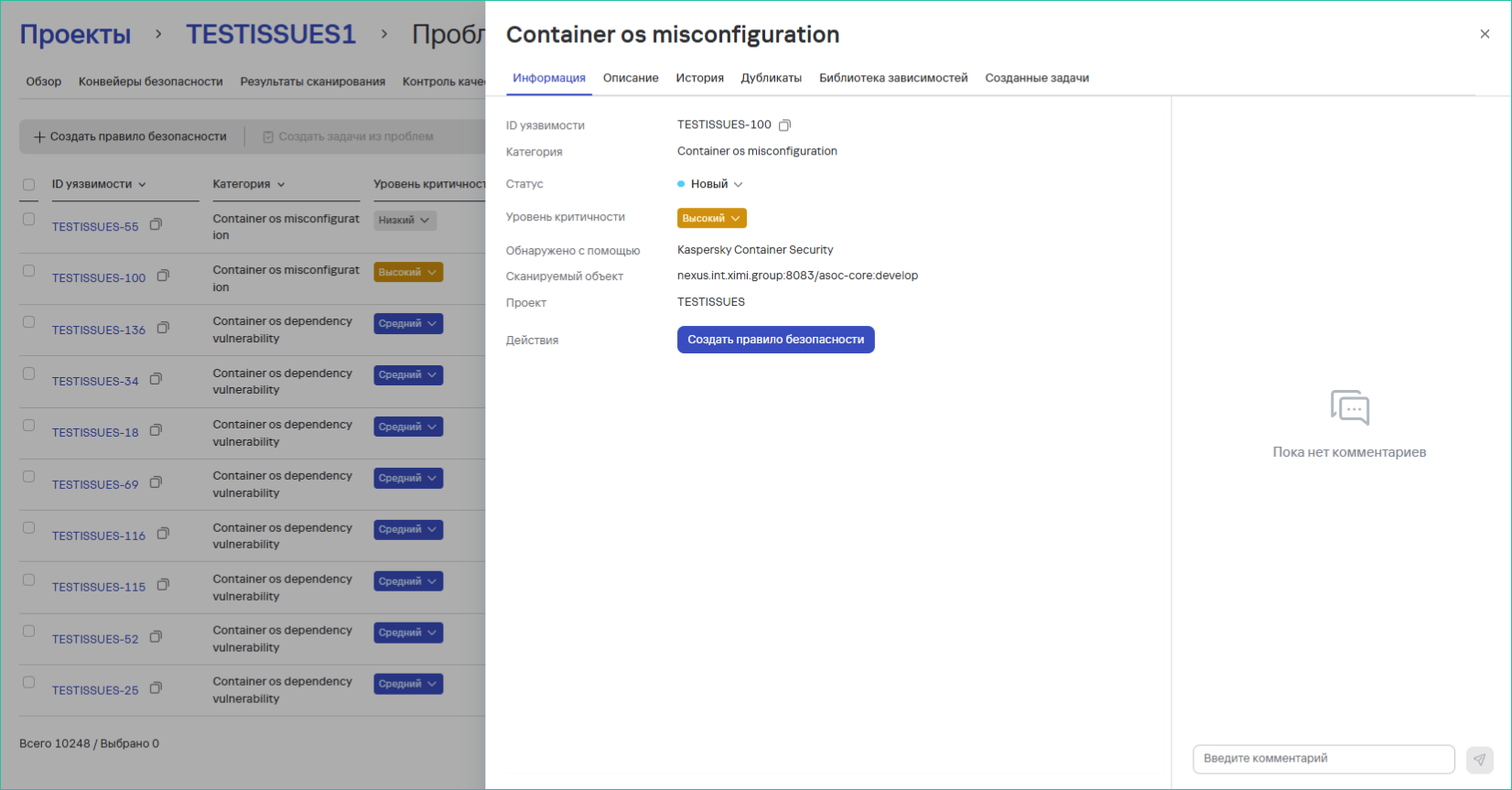
Detailed Vulnerability View
To get additional information:
- Click on the Vulnerability ID, which will open the detailed view window
Available Capabilities
Comments
- Ability to leave comments
- View comments from other users
- The comments section is located in the detailed view window of the security issue
Status Management
Available security issue statuses:
- New
- In Progress
- False Positive
- Confirmed
- Fixed
- Suppressed
- Manual
- Duplicate
Statuses can be changed:
- In the list of found issues
- In the detailed view window
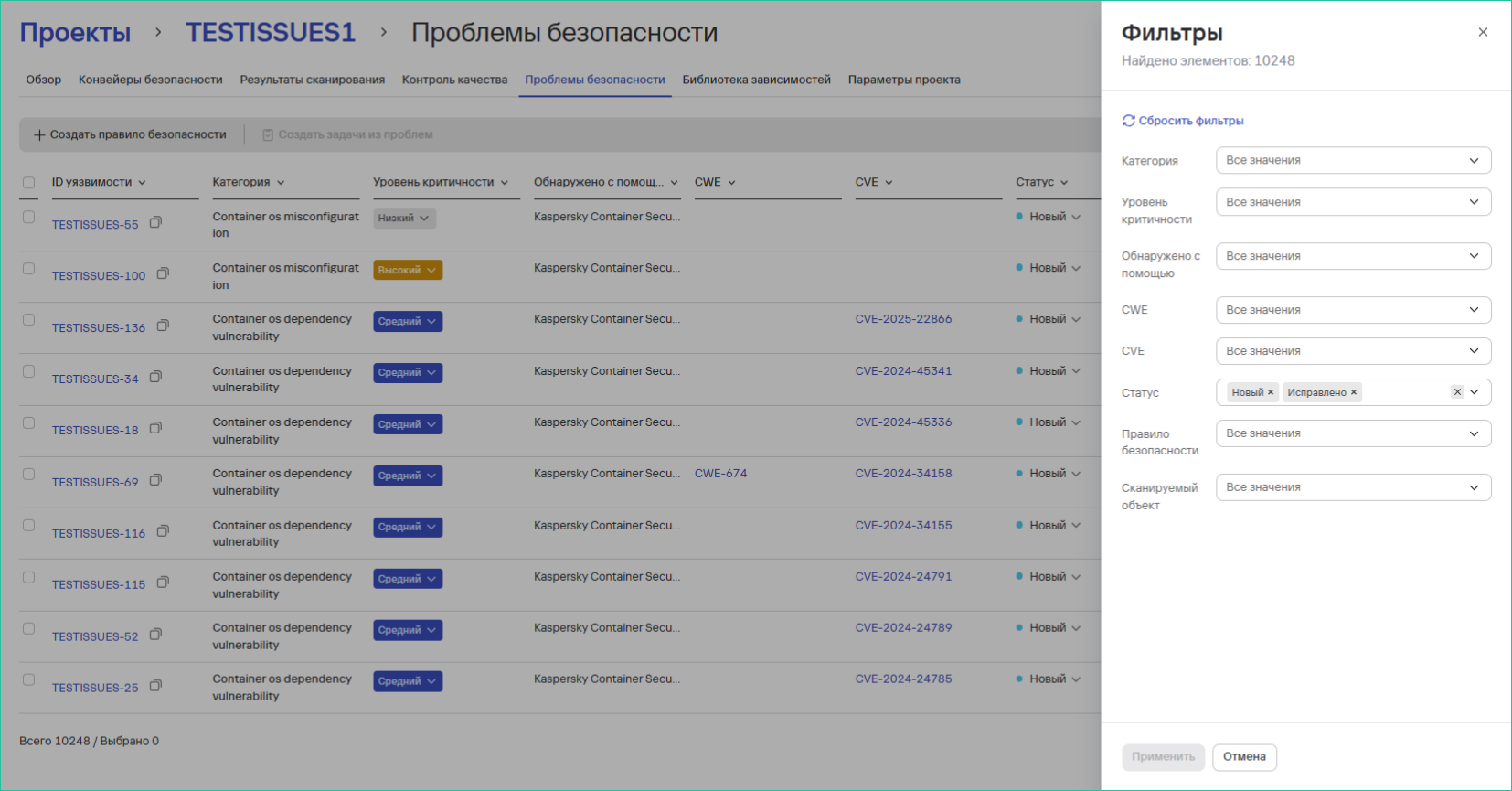
Filtering
To configure filtering, follow these steps:
- Click the
 button
 - Select the required filtering settings
Creating Tasks in the Tracker
Instructions for creating tasks:
- In the Security Issues section, select vulnerabilities from the list using the checkboxes
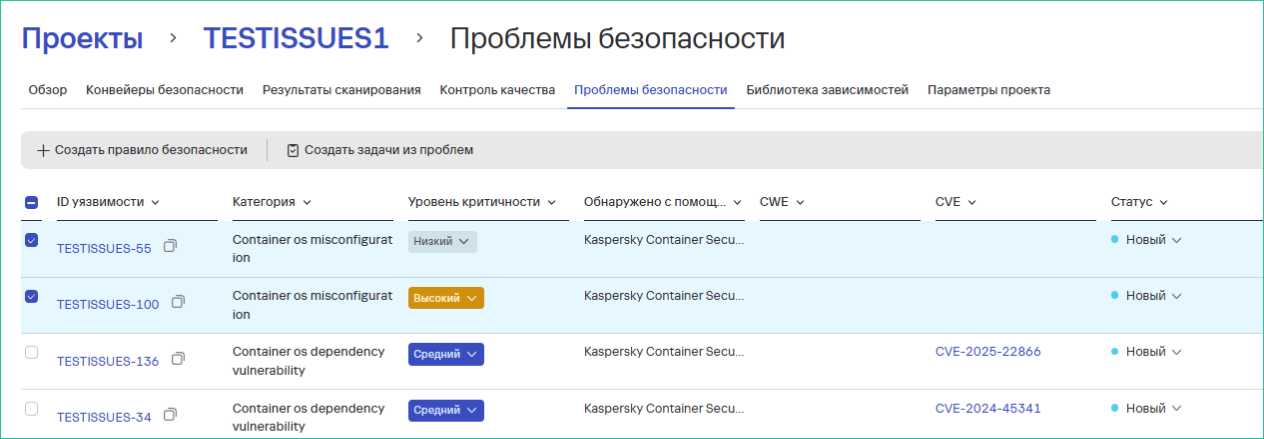
- Then click the Create Tasks from Issues button
- In the opened window:
- Select a Task Tracker (for more details, see Task Trackers)
- Fill in the field:
- Task Name OR
- Task Prefix (depending on the tracker settings)
- Select a Task Type
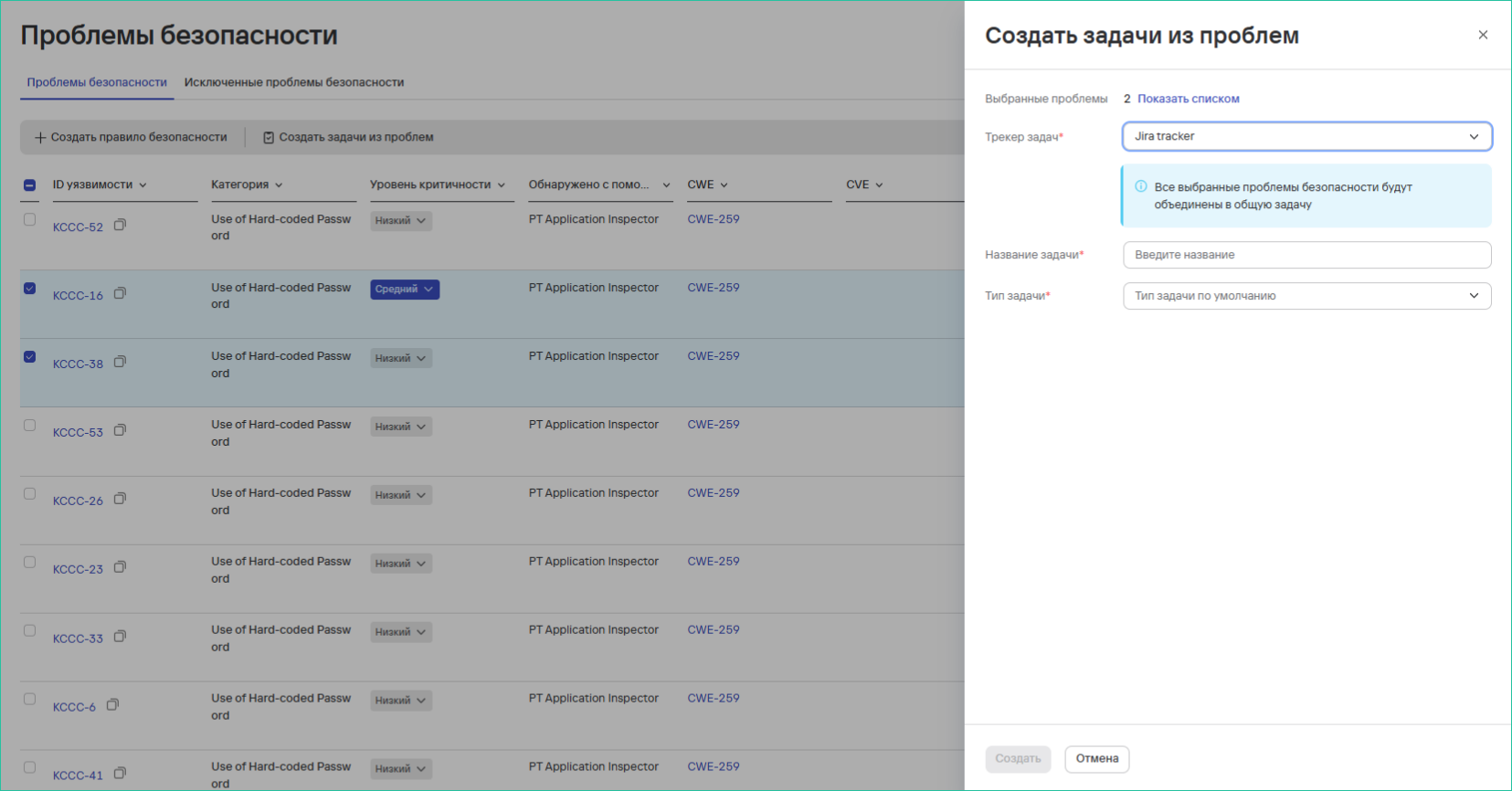
- Click the Create button