Event Log
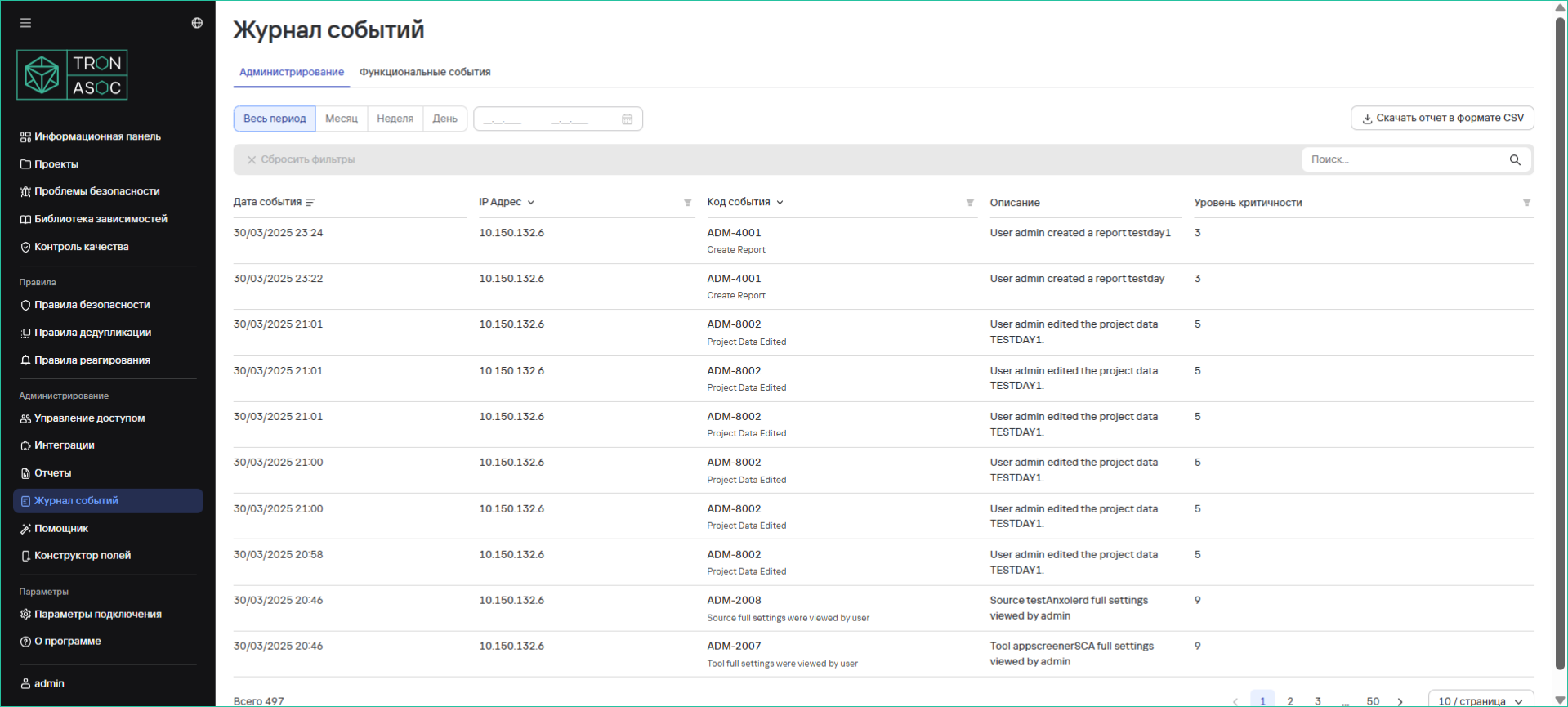
The Event Log section allows you to:
- View administrative and functional user events
- Download reports for a selected period in CSV format
Downloading an Event Report
To download a system event report, follow these steps:
- Navigate to the Event Log section
- Select the appropriate tab:
- Administration - for administrative events
- Functional Events - for user actions
- Specify the required time period
- Click the "Download Report in CSV Format" button
tip
The report will be automatically downloaded to your computer in CSV format.
Additional Information
- Filters are available to search for specific events
- Detailed information for each event can be viewed
- The CSV format is convenient for further analysis in Excel or other applications