Scan Results
Viewing Results
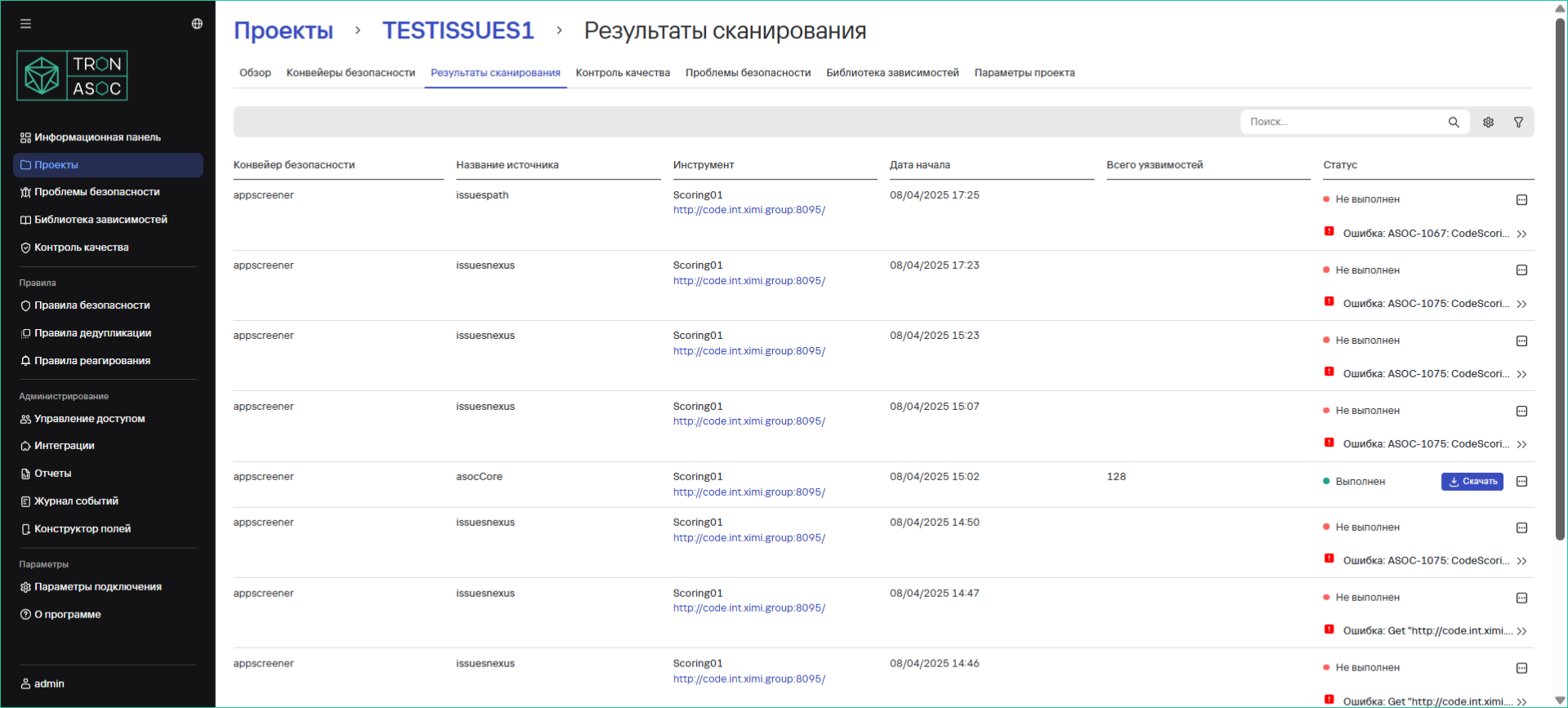
Successful scan results can be viewed:
- For the entire security layers:
Projects → Project Name → Scan Results - For an individual security check in the security check parameter row

Result Contents
Scan results contain:
- Security layer information
- Source used
- Source branch/tag
- Security tool applied
- Scan start date
- Number of security issues found
- Scan status
Result Processing
- After the security check completes:
- Results are imported from AST (Application Security Testing) tools
- Data is collected and organized by the system
- For each test run:
- The AST tool creates a security report
- The system saves and structures the received data
Exporting Results
The system supports exporting reports in JSON format (for easy integration with other systems and analysis tools).
To export, do the following:
- Click the Download button to get the full report