Security rules section
The system lets you create exclusion rules for working with results in the product. The Security rules section is designed to manage security rules that apply to vulnerabilities and other security issues in projects. This lets you temporarily or permanently ignore specific types of issues based on their priority or other criteria.
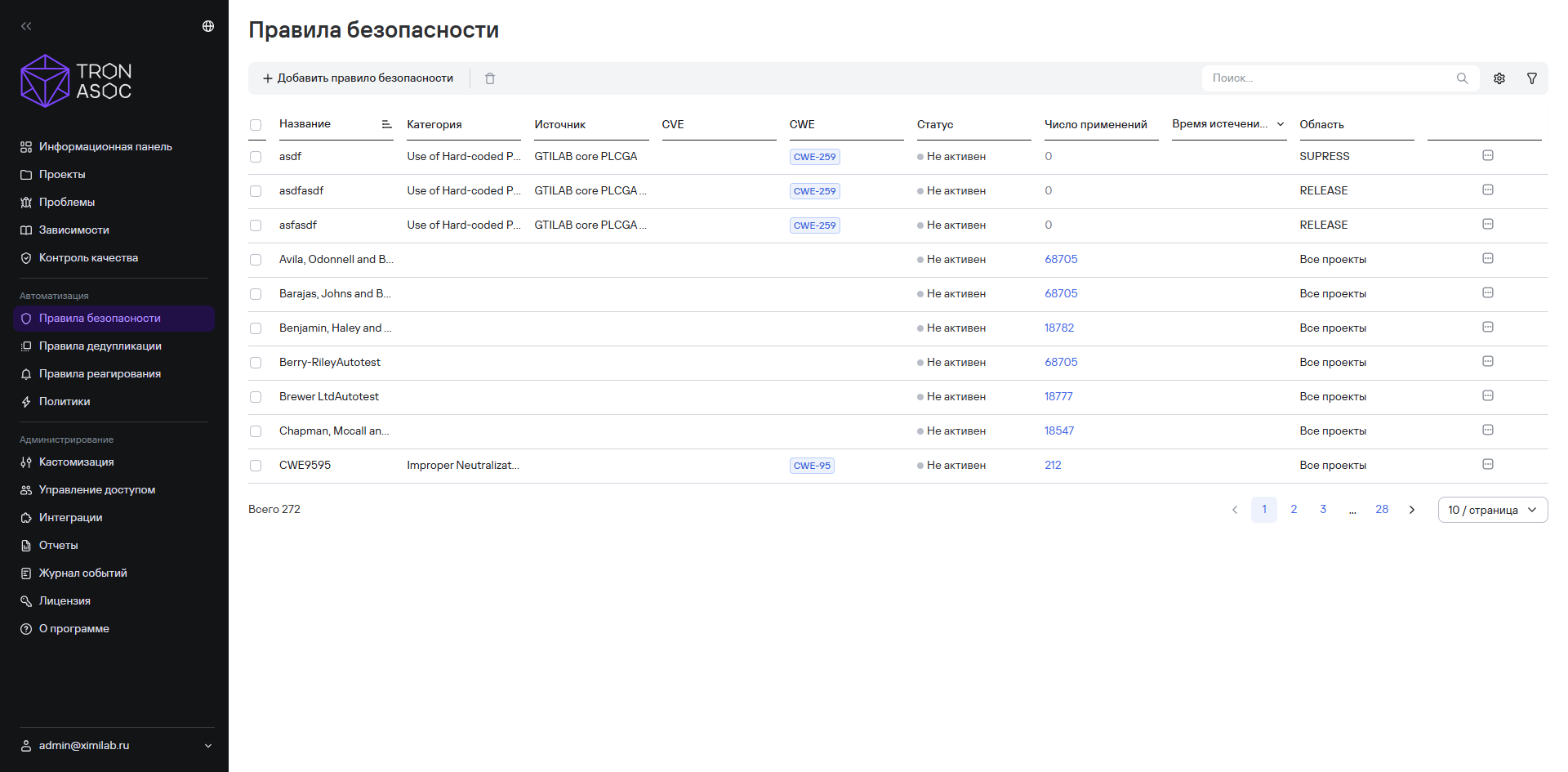
This section is designed to manage rules that apply to vulnerabilities and other security issues in projects.
Security rules apply to issues after scanning finishes (when you start the scan from TRON.ASOC) and the system receives a report with the scan results. For more information, see Scan results.
Security rules table structure
Security rules appear in the Security rules section as a table. The table includes the columns listed below.
| Column | Description |
|---|---|
| Name | Name or identifier of the security rule |
| Category | Category of the issue to which the rule applies |
| Source | Scanning source to which the rule applies |
| CVE | Unique vulnerability identifier in the CVE database |
| CWE | CWE code (Common Weakness Enumeration) |
| Status | Rule activity status |
| Number of uses | Number of times the rule has been used |
| Expiration date | Date when the rule stops applying |
| Scope | Project scope |
You can hide the columns you don't need, except for the Name column, and reorder them.
Filtering security rules
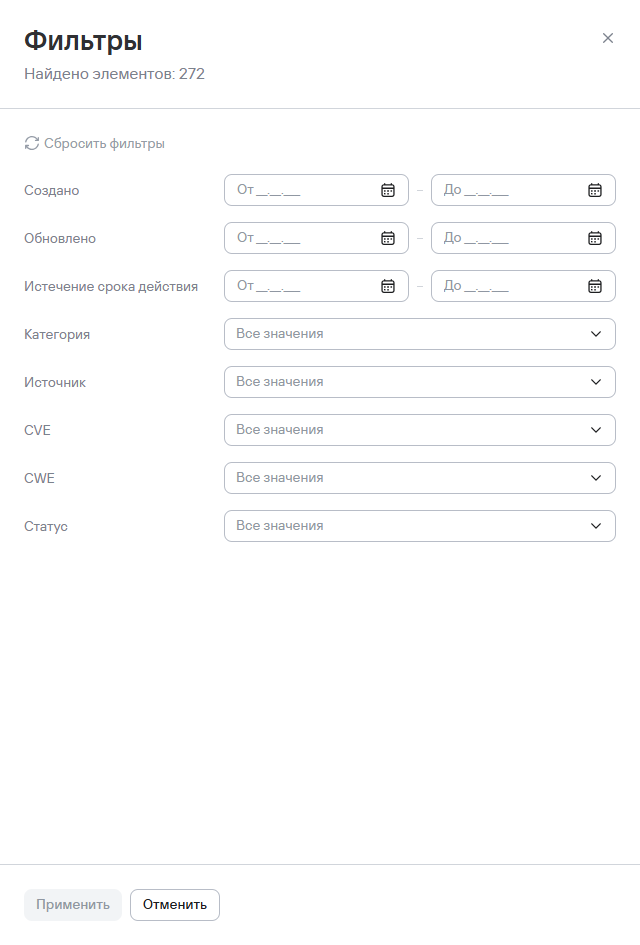
You can configure which security rules appear by using the following filters:
- Created—the period when the security rule was created. Configure it with the From and To fields using the
DD.MM.YYYYformat; - Updated—the period when the security rule was updated. Configure it with the From and To fields using the
DD.MM.YYYYformat; - Expiration—the period when the security rule expires. Configure it with the From and To fields using the
DD.MM.YYYYformat; - Category;
- Source;
- CVE;
- CWE;
- Status.