Information panel
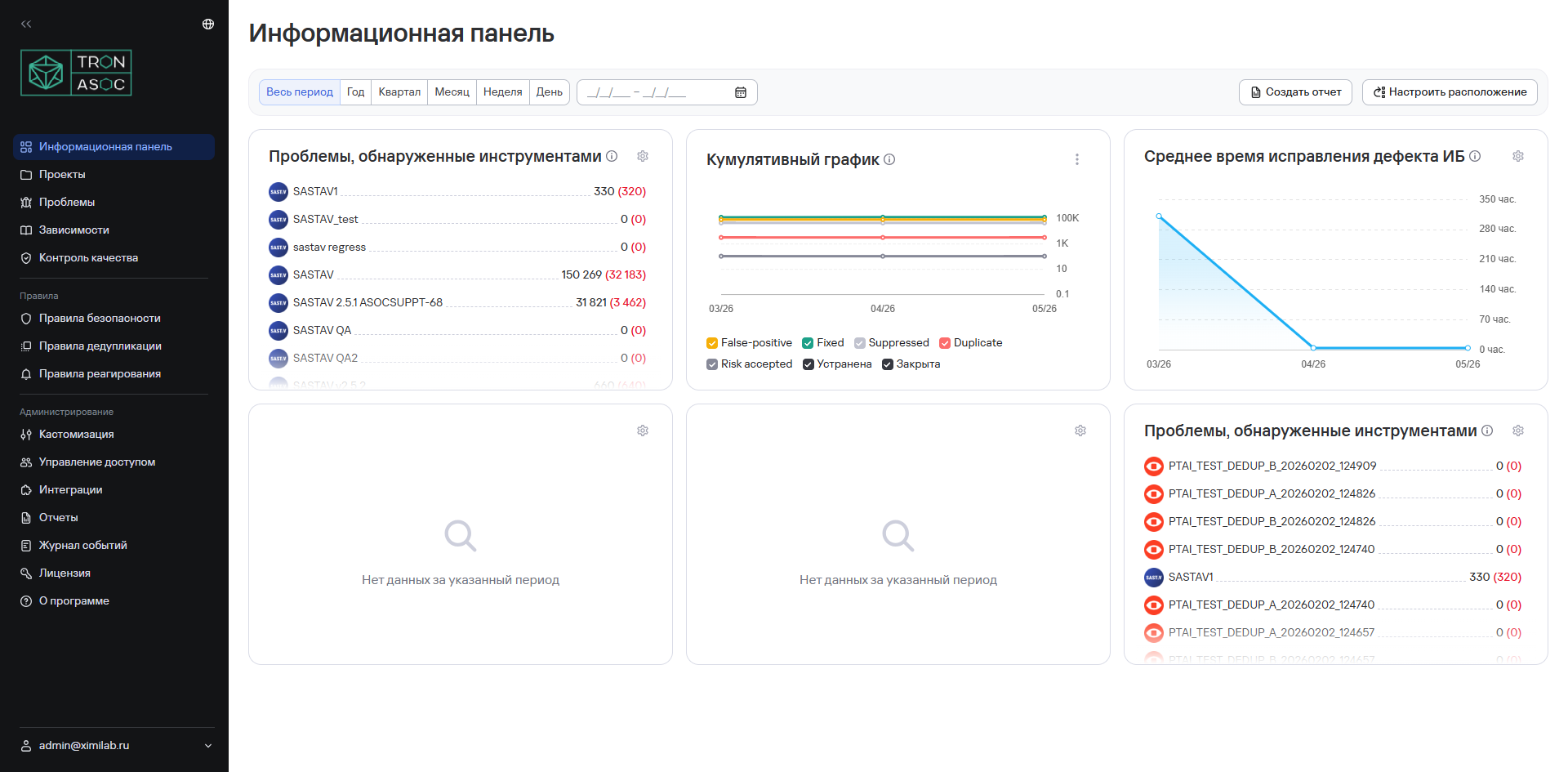
The information panel contains summary graphs (widgets) for vulnerabilities during the selected period. Data updates once a day.
The information panel includes the following widgets:
- Cumulative graph of detected vulnerabilities;
- Total number of open vulnerabilities;
- Most common open vulnerabilities;
- Most common critical and high vulnerabilities;
- Most vulnerable projects;
- Mean Time to Detect (MTTD);
- Security metrics;
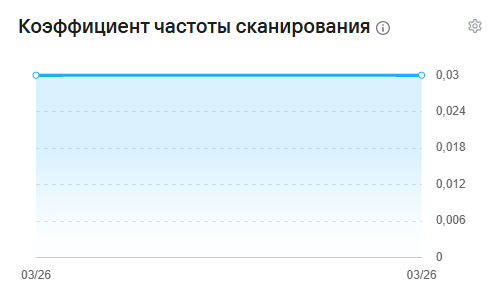
- Scan Frequency Ratio;
- Number of vulnerabilities;
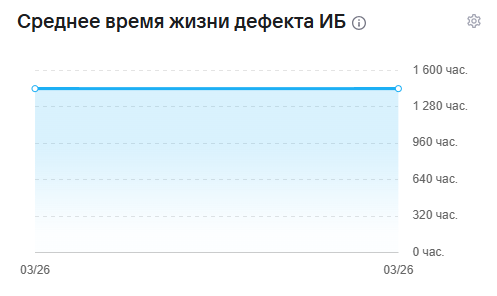
- Security Defect Lead Time;
- Fixed Vulnerabilities;
- Number of duplicate vulnerabilities;
- Number of false positives;
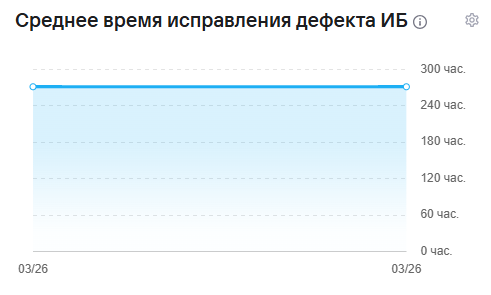
- Mean Time to Resolve;
- Risk Density;
- Integrated Risk Index.
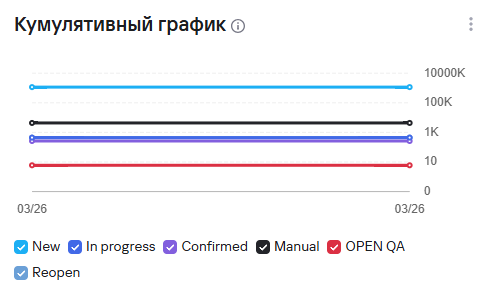
Cumulative graph of detected vulnerabilities
This widget shows how vulnerability detection changes over the selected period and lets you analyze changes in the total number of security issues.
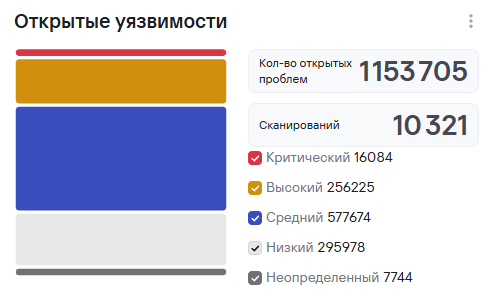
Total number of open vulnerabilities
This widget shows the total number of detected vulnerabilities, grouped by severity levels and statuses.
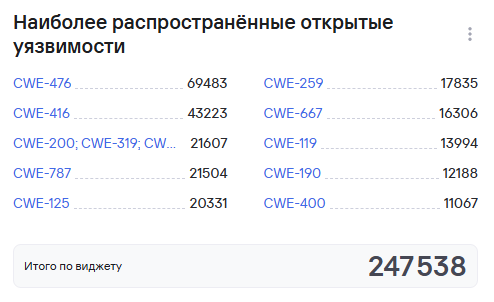
Most common open vulnerabilities
This widget shows the number of unresolved security issues that require processing or remediation.
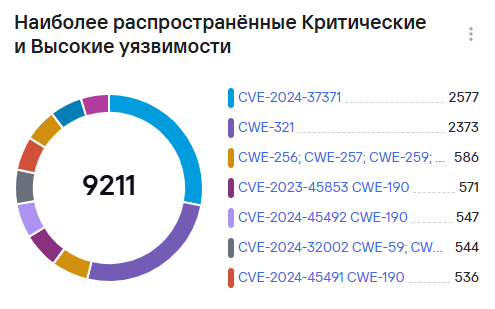
Most common critical and high vulnerabilities
This widget shows a list of the most critical security issues with a high risk level and remediation priority.
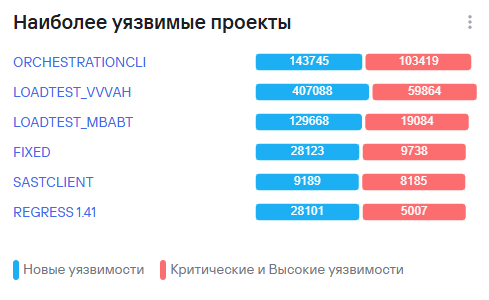
Most vulnerable projects
This widget shows the projects with the highest number of detected security issues during the selected period.
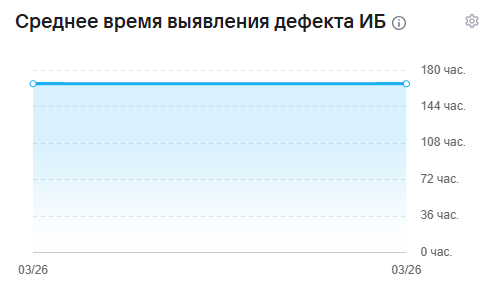
Mean Time to Detect (MTTD)
This widget shows the average time between the appearance of a security issue and its detection by analysis tools.
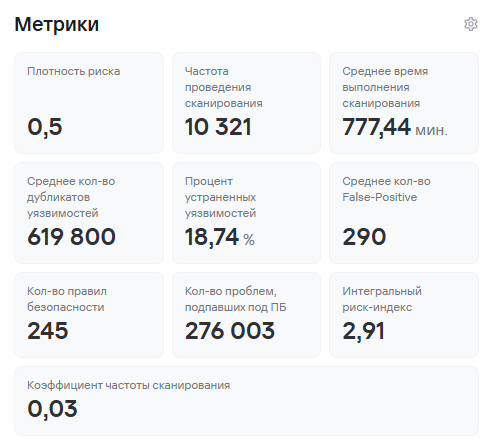
Security metrics
This widget shows key performance indicators for secure development processes and security issue handling.
Scan Frequency Ratio
This widget shows the intensity of security checks and how often projects run scans.
Number of vulnerabilities
This widget shows the total number of detected security issues during the selected period.

Security Defect Lead Time
This widget shows the median time a security issue exists from detection to closure.
Fixed Vulnerabilities
This widget shows the ratio of closed security issues to the total number of detected vulnerabilities.

Number of duplicate vulnerabilities
This widget shows the number of security issues that the system identifies as duplicates.

Number of false positives
This widget shows the number of false-positive vulnerabilities.

Mean Time to Resolve
This widget shows the average time spent remediating security issues.
Risk Density
This widget shows the concentration of security issues relative to the size of the analyzed application or project.

Integrated Risk Index
This widget shows the project’s overall risk level based on the severity and number of detected vulnerabilities.

Metric calculation formulas
Secure development practice coverage
The secure development practice coverage metric uses the following formula:
Risk Density (M)
The Risk Density metric uses the following formula:
where:
- —the number of critical vulnerabilities in the project;
- —the number of high-severity vulnerabilities in the project;
- —the number of medium-severity vulnerabilities in the project;
- —the number of low-severity vulnerabilities in the project;
- —the number of vulnerabilities with an undefined severity level in the project;
- , , , , —weight coefficients for each severity level;
Note: , , , ,
- —the total number of vulnerabilities in the project.
The metric uses the following formula:
Integrated Risk Index
The Integrated Risk Index metric uses the following formula:
where:
- —Risk Density;
- —Scan Frequency Ratio;
- —remediation time coefficient.
V coefficient
The V coefficient (scan frequency) uses the following formula:
where:
- —the scan frequency in the project.
- —the minimum scan frequency among all projects.
- —the maximum scan frequency among all projects.
The formula normalizes the project’s scan frequency against the minimum and maximum values across all projects. The V coefficient ranges from 0 to 1:
- a value close to 0 corresponds to a low scan frequency;
- a value close to 1 corresponds to a high scan frequency.
Defect remediation and identification time coefficient L
This coefficient measures the vulnerability remediation speed relative to the median value and uses the following formula:
where:
- —the Mean Time to Resolve a vulnerability.
- —the Mean Time to Detect a vulnerability.
- —the median Mean Time to Resolve vulnerabilities across all projects.
- —the median Mean Time to Detect vulnerabilities across all projects.
The coefficient shows how defect processing time differs from median values:
- a value of means that the project remediates and detects vulnerabilities faster than the median;
- a value of corresponds to the median level;
- a value of means that the project processes vulnerabilities more slowly than the median.
Other metrics
Fixed Vulnerabilities
This metric is calculated as the ratio of the number of closed vulnerabilities to the total number of vulnerabilities in the project.
Average time in a specific status
The average time in a specific status is calculated as the median time spent in each status, expressed as a whole number of hours.
Defect lead time
The defect lead time is calculated as the median time a defect remains open, that is, from the New status to any closed status, for example, Fixed.
Mean Time to Detect (MTTD)
The Mean Time to Detect is calculated as the median time to identify defects in the project or projects. Defect identification means changing the status from New to any subsequent status.
Mean Time to Resolve (MTTR)
The Mean Time to Resolve is calculated as the median time from an open status other than New to a closed status.