Security issues section
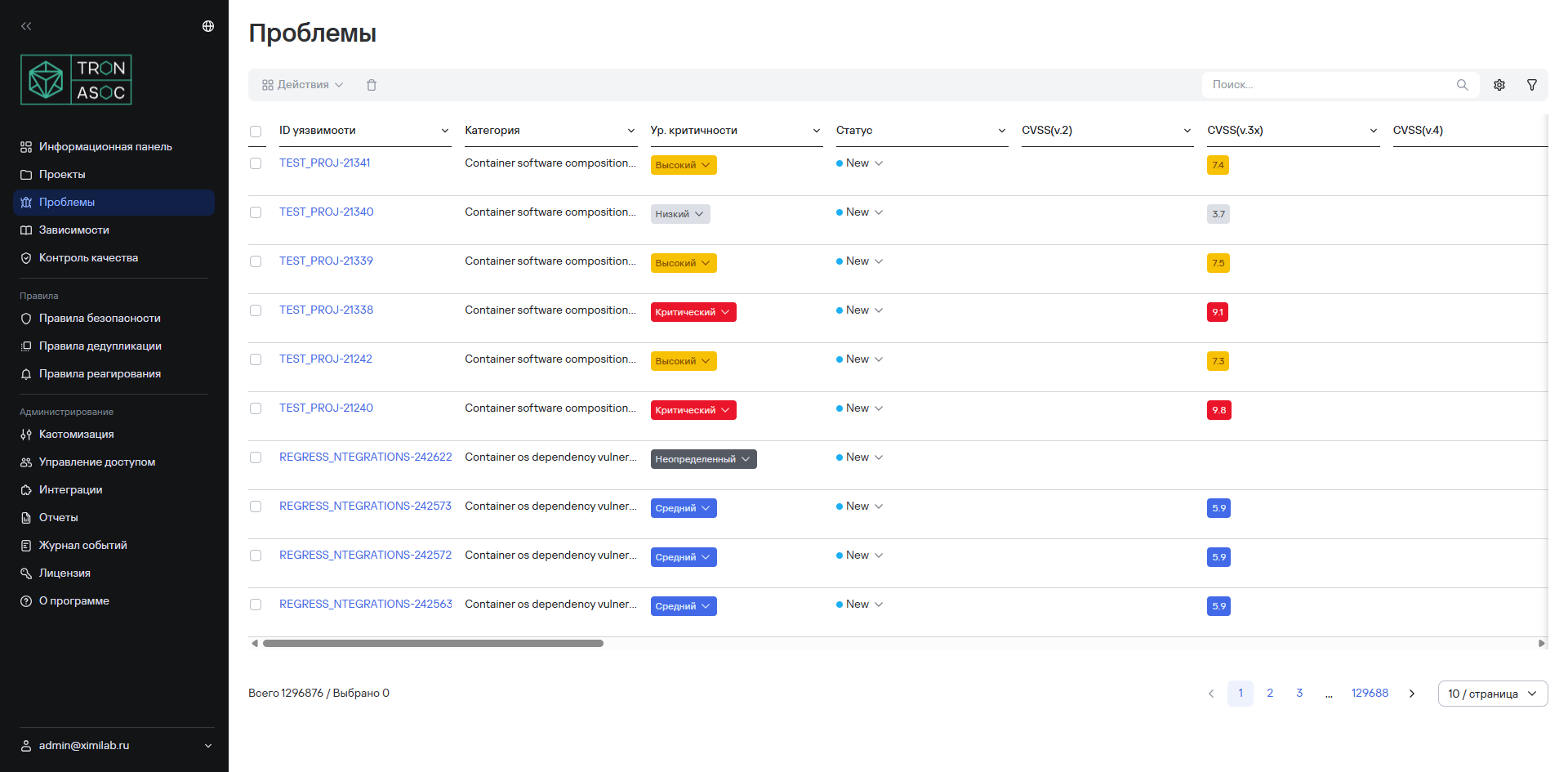
Security issues and information about them appear as a list in Projects → Project name → Issues (or in the Issues section of the main menu).
The list of security issues includes the following fields:
- Vulnerability ID—ID of the detected security issue;
- False positive label—indicates that the security issue is a false positive. It isn't a status and doesn't affect status changes;
- Duplicate label—indicates that the security issue is a duplicate. It isn't a status;
- Covered by a security rule label—indicates that the issue is covered by a security rule. It isn't a status;
- Category—name of the security issue category;
- Severity—severity of the security issue;
- Status—status of the security issue;
- CVSS (v.2/v.3/v.4)—security issue score according to the corresponding CVSS standard;
- Exploitability—detected exploitability;
- Tool—name of the vulnerability detection tool;
- CWE—CWE parameter name;
- CVE—CVE parameter name;
- Source—name of the scanning source;
- Source branch/tag—branch or tag of the scanning source;
- File—name of the scanned file;
- Line—line number;
- Matching code—source code contained in the security issue;
- Library—library name;
- Project—project name;
- Created—date when the security issue was detected;
- Updated—date when the security issue was updated;
- Last detected—date when the security issue was last detected;
- AI false-positive analysis—result of the AI analysis for false positives;
- Comments—comments and the number of unread comments;
- Assignee—users or user groups assigned as responsible parties.
Users can perform the following actions on security issues:
- view detailed information about a security issue;
- change the visibility of security issue statuses;
- filter security issues by available attributes;
- search for security issues by CWE and CVE parameters;
- perform other bulk actions.