Зависимости
Раздел Зависимости содержит информацию о зависимостях проекта (библиотеках, пакетах, модулях).
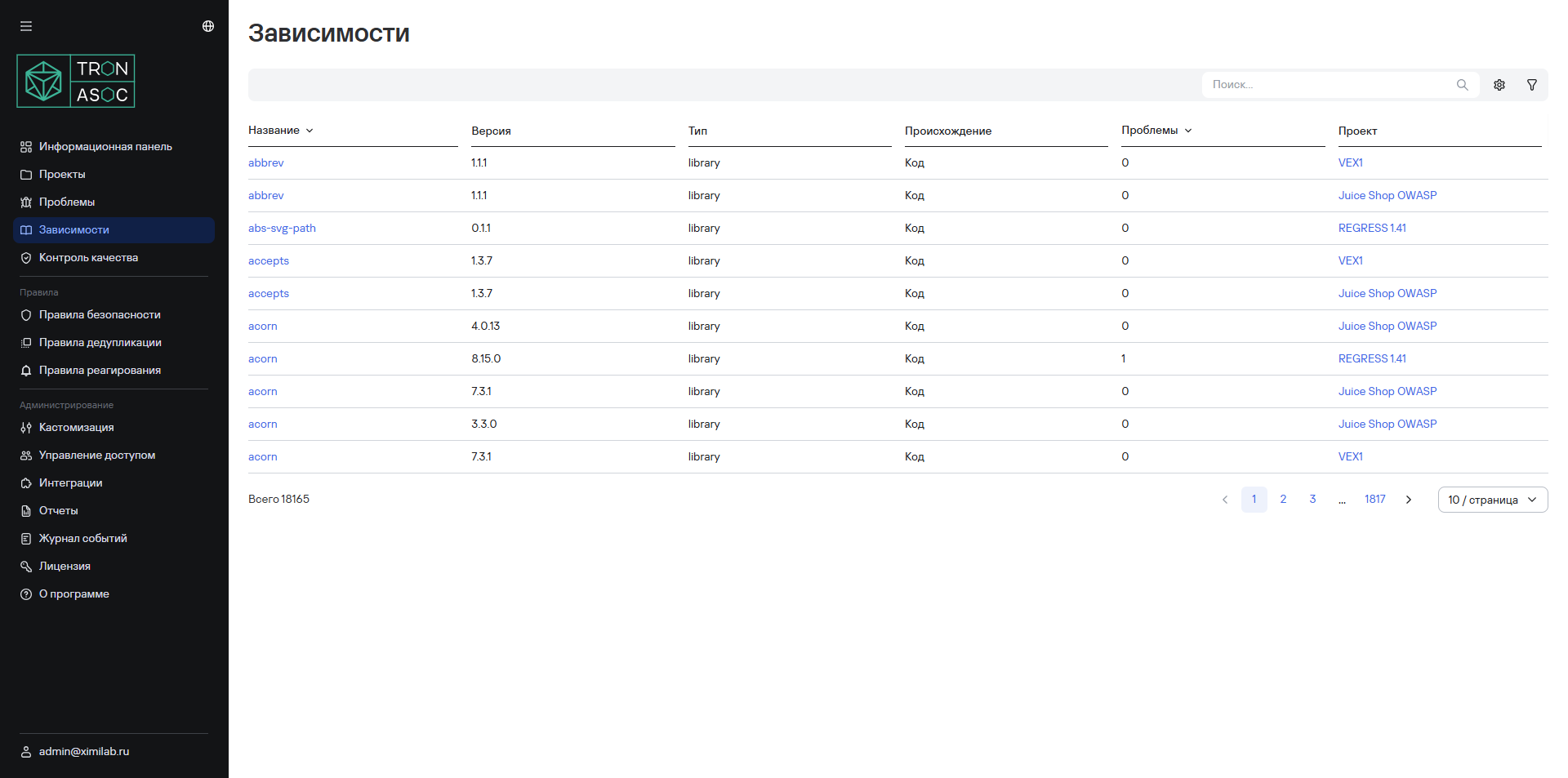
Обзор зависимостей
Отображает список всех зависимостей с ключевыми данными:
- Название
- Версия
- Тип зависимости
- Происхождение
- Проблемы безопасности (количество проблем с данной зависимостью)
- Проект (используется в перечисленных проектах)
Детализация зависимости
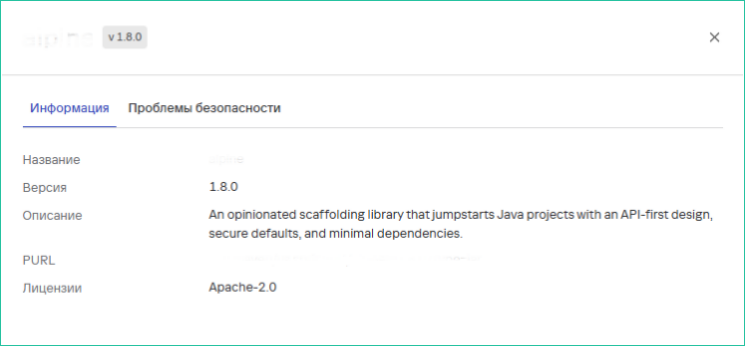
При выборе конкретной зависимости доступна подробная информация:
- Название библиотеки
- Версия
- Описание библиотеки
- PURL
- Лицензии
Зависимости проекта
По каждому проекту предусмотрена возможность просмотра зависимостей из SBOM-отчетов во вкладке Зависимости. Основные компоненты располагаются во вкладке Компоненты. Также доступно формирование VEX-отчетов на основе SBOM во вкладке VEX-отчеты.
Создание VEX-отчета
VEX-отчеты генерируются в соответствии со стандартом CycloneDX в формате JSON.
Для создания VEX-отчета необходимо выполнить следующие шаги:
- В разделе Проекты → Название проекта → Зависимости во вкладке VEX-отчеты нажать на кнопку Создать VEX-отчет.
- В открывшейся форме заполнить следующие данные для формирования отчета:
- SBOM-файлы - выбор одного или нескольких SBOM-файлов из списка ранее загруженных, на основе которых будет сформирован отчет.
- Метаданные отчета - список метаданных для построения отчета, с возможностью указать специфичные метаданные продукта (например, версия, релиз, источник и т.д), обязательными являются следующие метаданные:
- Название организации
- URL организации
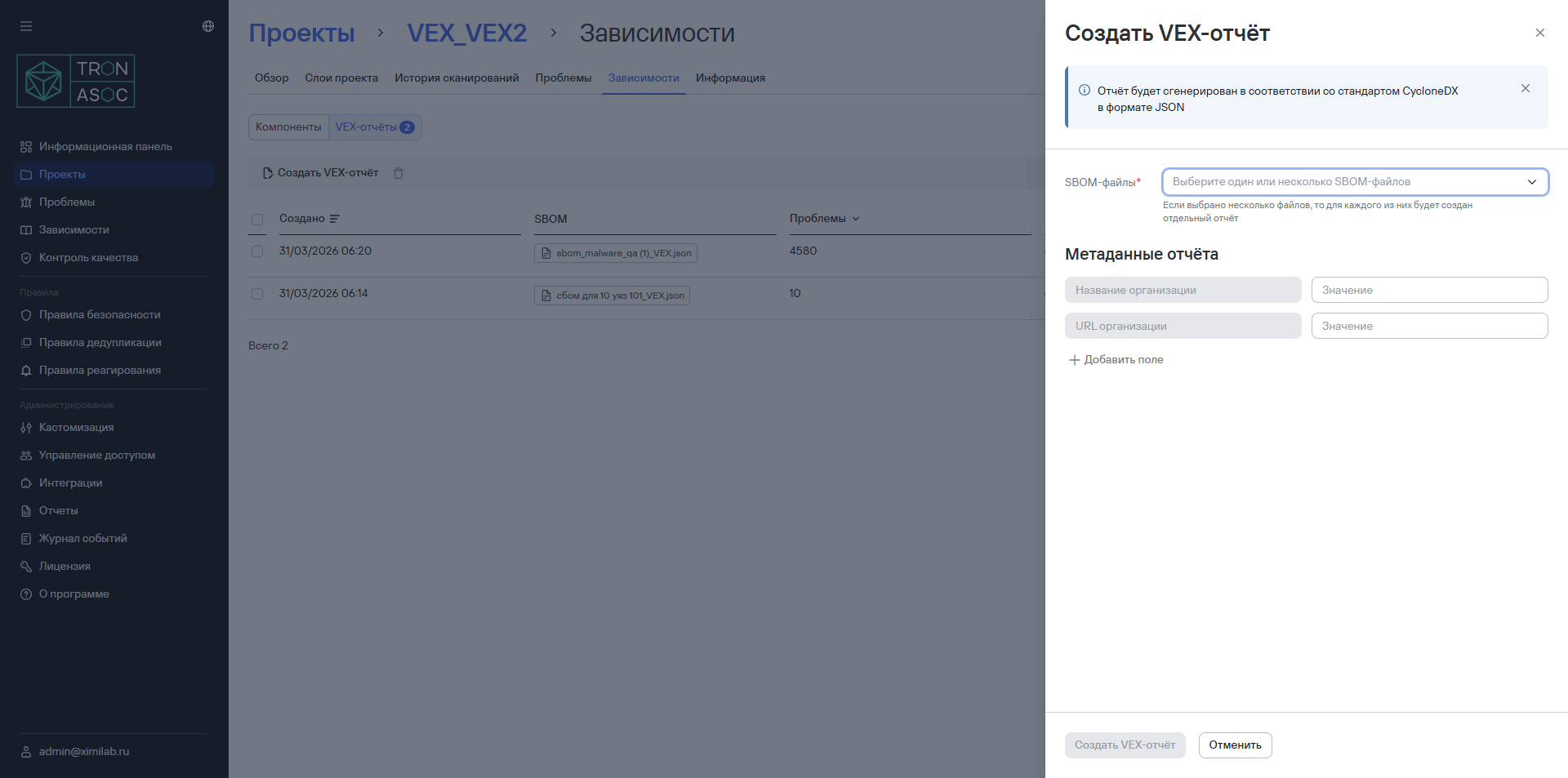
- Далее нажать на кнопку Создать VEX-отчет.
После этого отчет будет доступен в списке во вкладке VEX-отчеты.
Чтобы скачать отчет, необходимо выполнить следующие шаги:
- Перейти в раздел Проекты → Название проекта → Зависимости
- Нажать кнопку дополнительных действий

- Нажать кнопку Скачать
Для повторной генерации отчета необходимо выполнить следующие шаги:
- Перейти в раздел Проекты → Название проекта → Зависимости
- Нажать кнопку дополнительных действий
- Нажать кнопку Сгенерировать заново
Чтобы удалить отчет, необходимо выполнить следующие шаги:
- Перейти в раздел Проекты → Название проекта → Зависимости
- Нажать кнопку дополнительных действий
- Нажать кнопку Удалить
Чтобы скачать отчет, необходимо нажать на кнопку  в строке соответствующего отчета. Также предусмотрена возможность удаления сформированного отчета с помощью кнопки удаления
  .
.