Правила безопасности
Система предоставляет возможность создания правил исключения для работы с результатами в продукте. Раздел Правила безопасности предназначен для управления правилами безопасности, которые применяются к уязвимостям и другим проблемам безопасности в проектах. Это позволяет временно или постоянно игнорировать определенные типы проблем, исходя из их приоритета или иных критериев.
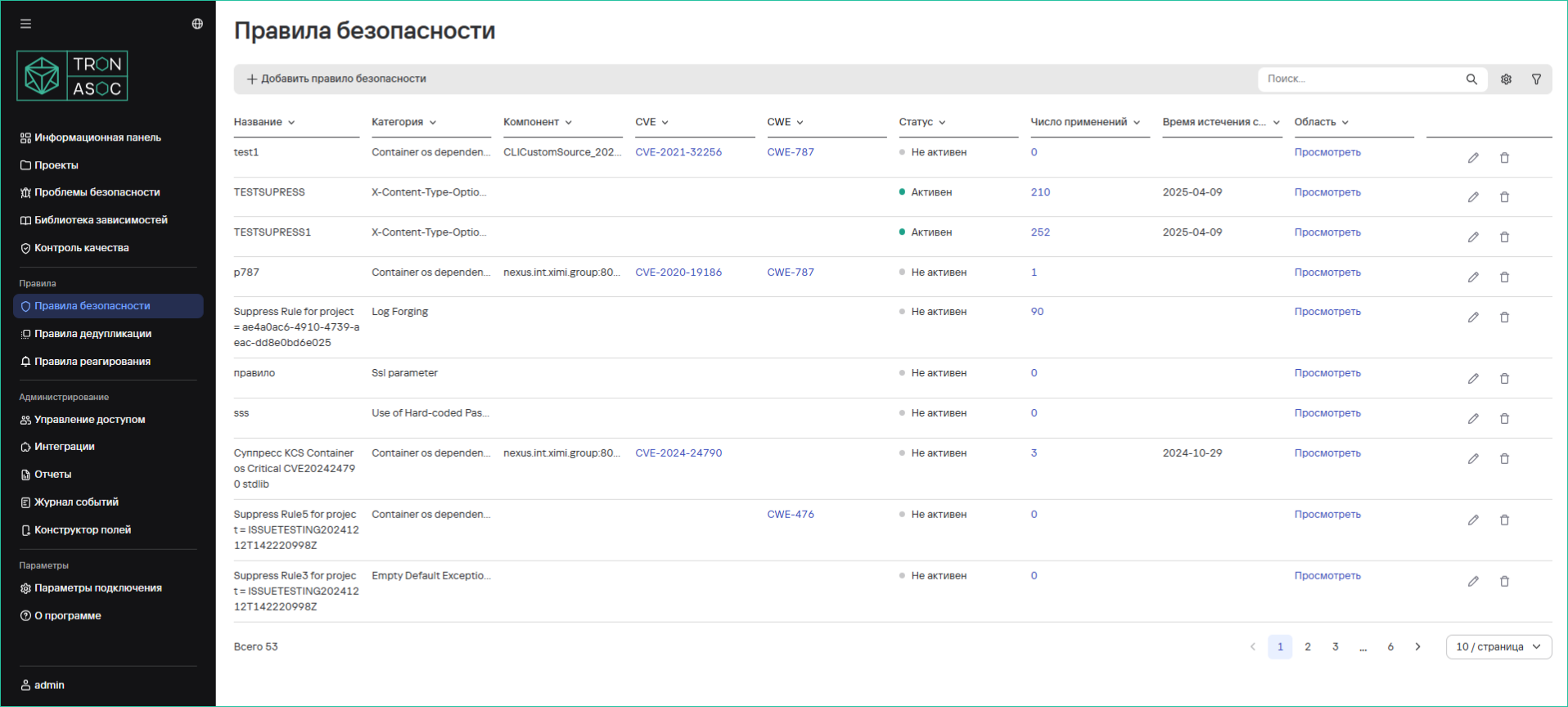
Раздел предназначен для управления правилами, которые применяются к уязвимостям и другим проблемам безопасности в проектах.
Правила безопасности применяются к проблемам после выполненного сканирования (в случае запуска из TRON.ASOC) и получения отчета с результатами сканирования. Подробнее см. Результаты сканирования.
Структура таблицы правил безопасности
Правила безопасности отображаются в разделе Правила безопасности в табличном виде. Таблица состоит из столбцов, представленных в таблице ниже.
| Столбец | Описание |
|---|---|
| Название | Название или идентификатор правила безопасности |
| Категория | Категория проблемы, к которой применяется правило |
| Источник | Источник сканирования, к которому применяется правило |
| CVE | Уникальный идентификатор уязвимости в базе CVE |
| CWE | Код CWE (Common Weakness Enumeration) |
| Статус | Статус активности правила |
| Число применений | Количество применений правила |
| Время истечения срока действия | Дата, когда правило перестает действовать |
| Область | Область проектов |
Пользователю доступна возможность скрывать необходимые столбцы (кроме столбца Название) и менять их местами.
Фильтрация правил безопасности
Пользователь может настраивать отображение правил безопасности в соответствии со следующими фильтрами:
- Создано — период, в течение которого было создано правило безопасности; настраивается с помощью полей От и До, значения настраиваются в формате
ДД.ММ.ГГГГ - Обновлено — период, в течение которого было обновлено правило безопасности; настраивается с помощью полей От и До, значения настраиваются в формате
ДД.ММ.ГГГГ - Истечение срока действия — период, в течение которого истекает срок действия правила безопасности; настраивается с помощью полей От и До, значения настраиваются в формате
ДД.ММ.ГГГГ - Категория
- Источник
- CVE
- CWE
- Статус
Создание правила безопасности
Создание правила безопасности происходит на основании указанных параметров. Набор параметров зависит от типа проблемы безопасности. Для создания правила необходимо выполнить следующие шаги:
-
В разделе Правила безопасности нажать на кнопку Добавить правило
-
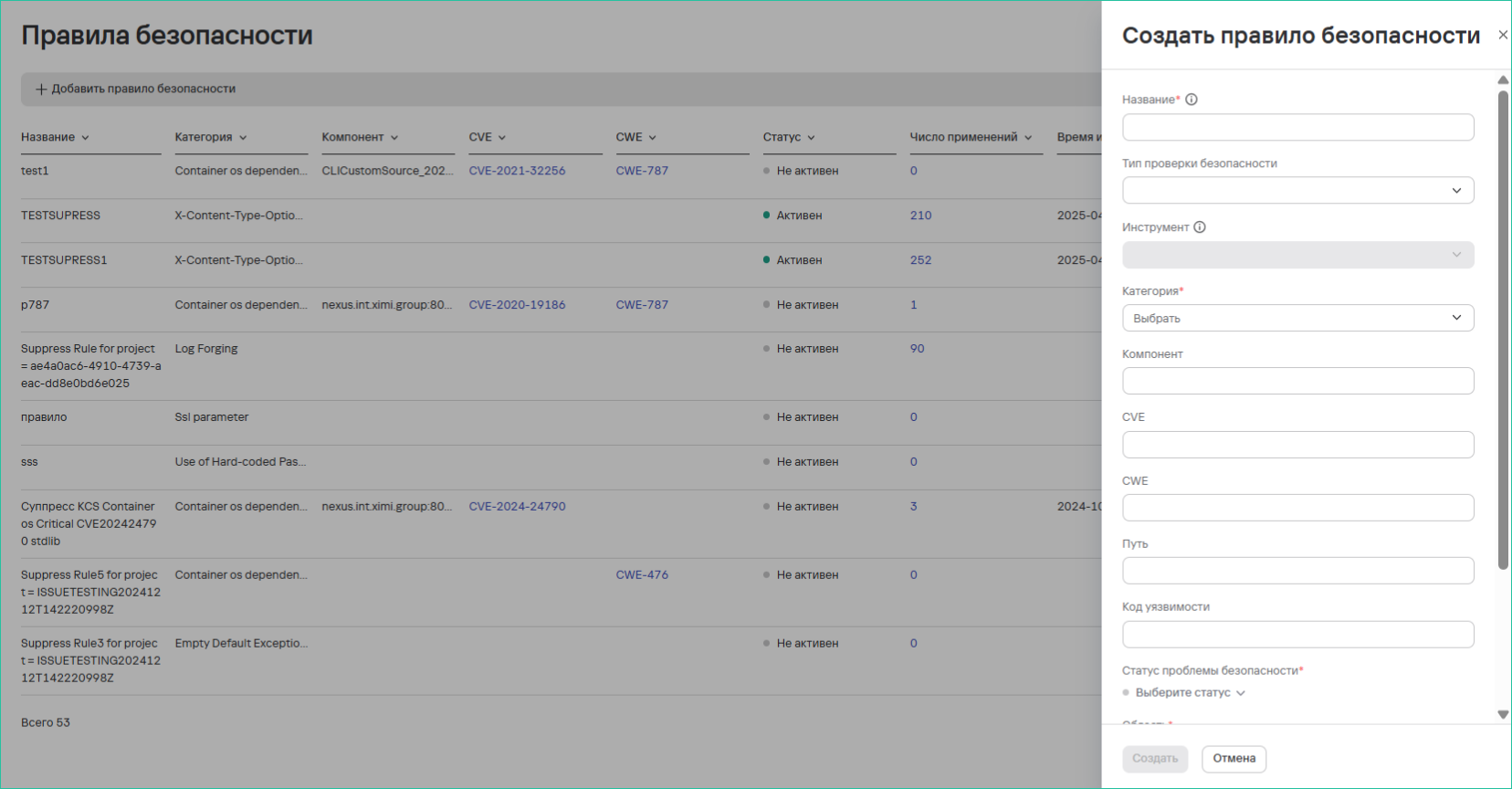
Заполнить форму со следующими данными:
- Название - Уникальное название правила
- Тип проверки безопасности
- Инструмент
- Категория проблемы
- Компонент системы/путь
- Идентификатор CVE
- Код CWE
- Путь к файлу/директории
- Код уязвимости
-
Настроить дополнительные параметры:
- Время истечения срока действия: фиксированная дата или бессрочно
- Статус проблемы безопасности: из предлагаемых
- Область применения: выбор проектов
- Статус по истечении срока действия: из предлагаемых
-
Нажать на кнопку Создать
Правила применяются ко всем новым и существующим проблемам, соответствующим критериям.
Удаление правил безопасности
Для удаления одного правила безопасности необходимо выполнить следующие шаги:
- В разделе Правила безопасности нажать кнопку дополнительных действий (
 ) возле необходимого правила безопасности.
 - Выбрать вариант Удалить.
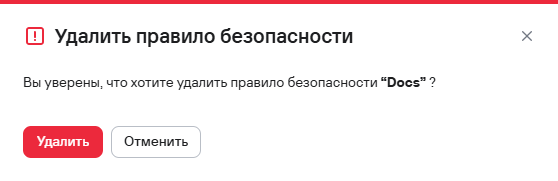
- В открывшемся модальном окне подтвердить удаление правила безопасности.
Для удаления нескольких правил безопасности необходимо выполнить следующие шаги:
- В разделе Правила безопасности выбрать правила безопаности с помощью чекбоксов (
 )
) - Нажать кнопку удаления (
 ), расположенную на панели над таблицей правил.
 - В открывшемся модальном окне подтвердить удаление правил безопасности.