Отчеты
Страница Отчеты предназначена для управления и просмотра отчетов, содержащих данные о проектах и найденных в них уязвимостях.
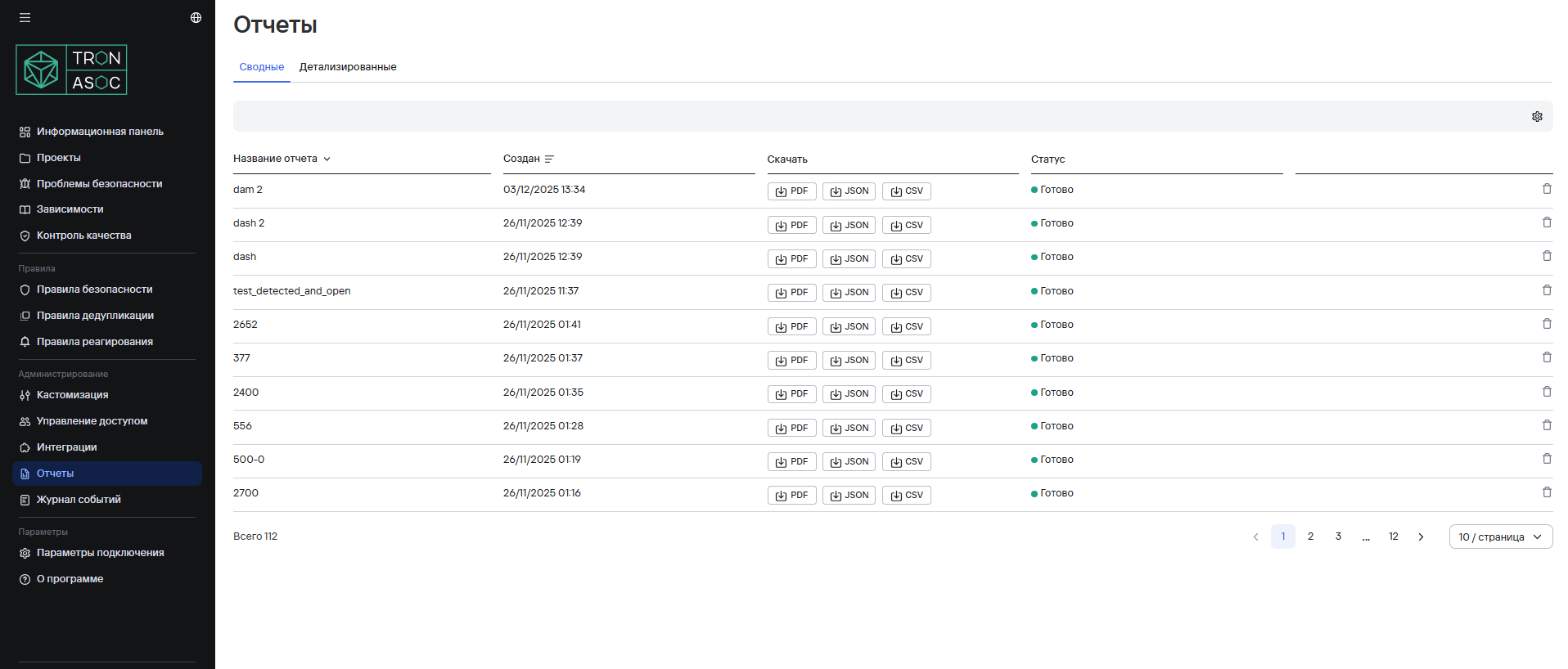
Просмотр отчетов
Отчеты отображаются в двух таблицах:
- Сводные - основная информация
- Детализированные - подробные данные
Сортировка отчетов
Доступна сортировка по:
- Названию (щелкнуть по заголовку столбца "Название отчета")
- Дате создания (щелкнуть по заголовку столбца "Создан")
Экспорт отчетов
Для каждого отчета доступны следующие форматы скачивания:
- PDF (до 3 проектов в одном отчете)
- JSON
- CSV
Для того, что скачать отчет необходимо нажать на кнопку с требуемым форматом рядом с отчетом. Загрузка отчета выполняется асинхронно, доступно многократное скачивание.
Удаление отчетов
Для того, чтобы удалить отчет, необходимо нажать на кнопку удаления  рядом с отчетом и в открывшемся окне подтверждения нажать на кнопку Удалить.