Правила дедупликации
Общие сведения
Правила дедупликации предназначены для объединения и удаления дубликатов записей в системе путем настройки правил сравнения данных. Позволяют автоматически находить и объединять повторяющиеся записи, снижая количество избыточной информации.
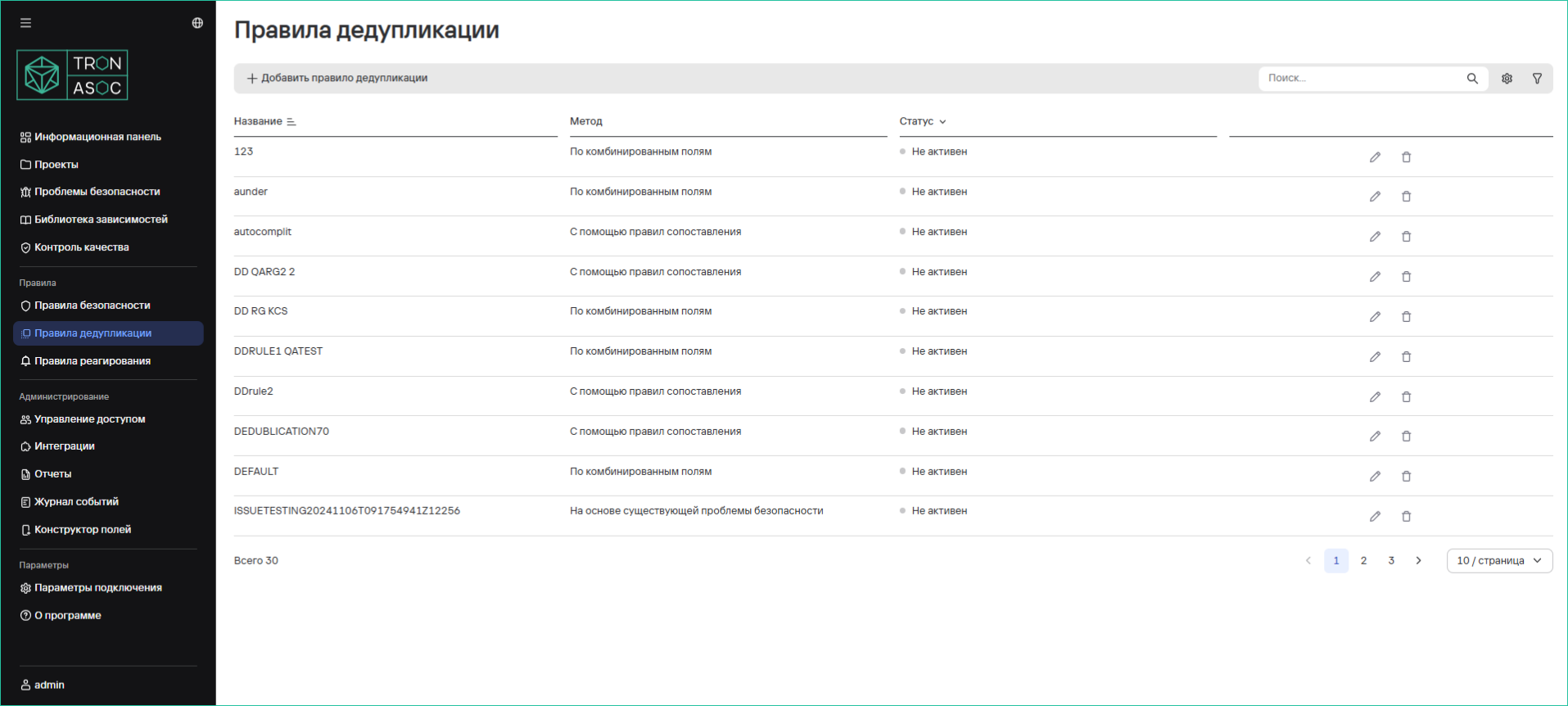
Таблица правил дедупликации
Таблица содержит список существующих правил с возможностью сортировки и просмотра подробной информации:
| Параметр | Описание |
|---|---|
| Название | Имя правила |
| Метод | Способ дедупликации:
|
| Статус | Активность правила (вкл/выкл) |
Создание правил дубликатов
Для создания нового правила необходимо выполнить следующие шаги:
- В разделе Правила дедупликации нажать на кнопку Добавить правило дедупликации.
- В открывшейся форме необходимо указать Метод дедупликации, и дополнительные параметры, в зависимости от выбранного метода.
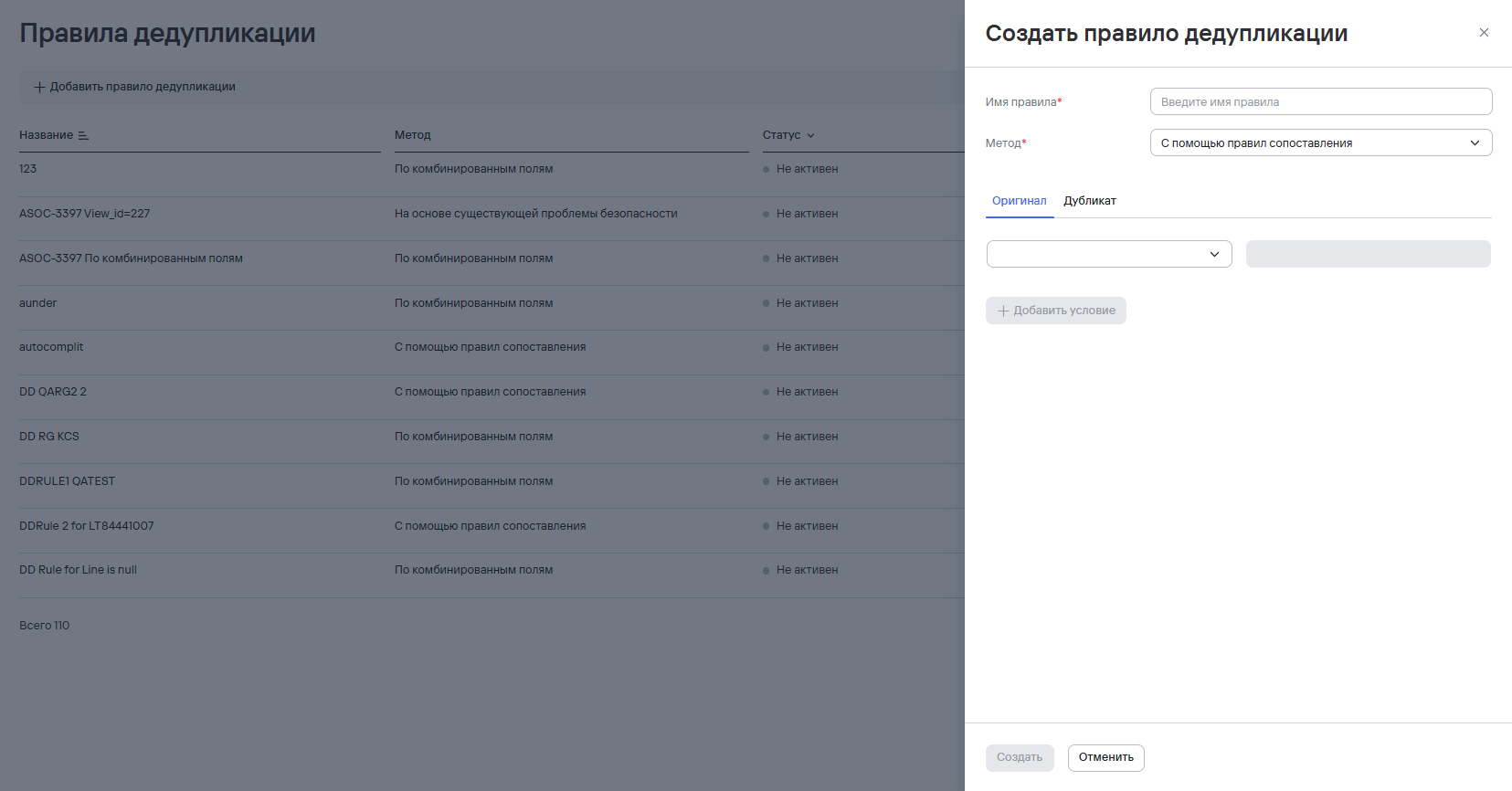
- Нажать на кнопку Создать
Правила применяются как к новым, так и к существующим записям.
Удаление правил дедупликации
Для удаления одного правила дедупликации необходимо выполнить следующие шаги:
- В разделе Правила дедупликации нажать кнопку дополнительных действий (
 ) возле необходимого правила дедупликации.
 - Выбрать вариант Удалить.
- В открывшемся модальном окне подтвердить удаление правила дедупликации.
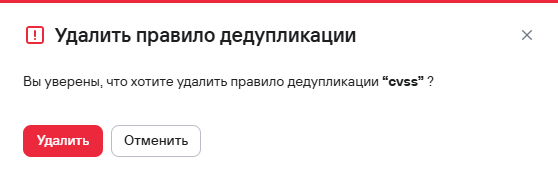
Для удаления нескольких правил дедупликации необходимо выполнить следующие шаги:
- В разделе Правила дедупликации выбрать правила безопаности с помощью чекбоксов (
 )
) - Нажать кнопку удаления (
 ), расположенную на панели над таблицей правил.
 - В открывшемся модальном окне подтвердить удаление правил дедупликации.
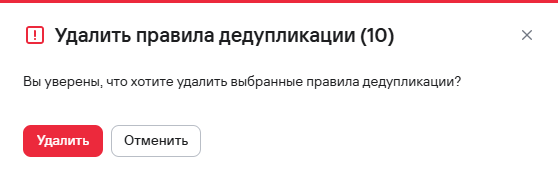
Поиск дубликатов проблем безопасности
Для просмотра дубликатов проблем безопасности необходимо выполнить следующие шаги:
- Перейти в раздел Проблемы
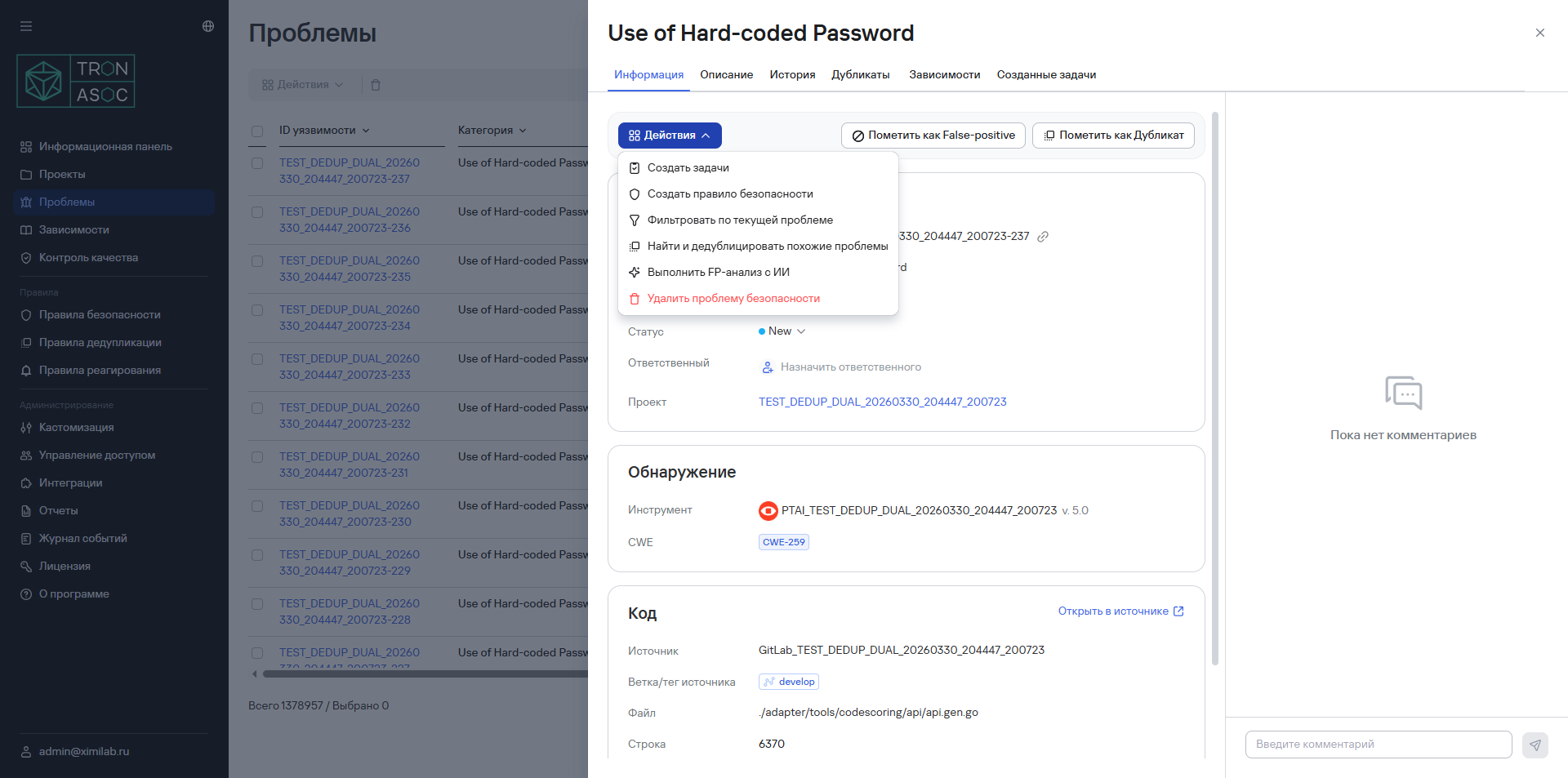
- Найти и открыть проблему безопасности, к которой может относиться дедупликация.
- Выбрать вариант Найти и дедублицировать похожие проблемы из выпадающего списка Действия.
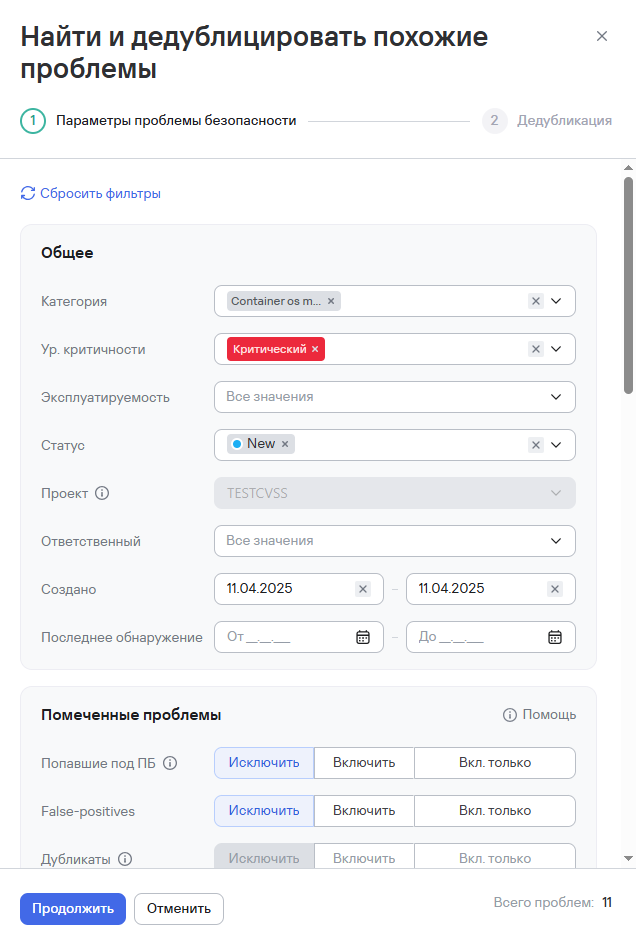
- В открывшемся окне справа уточнить необходимые фильтры и нажать кнопку Продолжить.
- Выбрать уязвимости из списка в новом окне справа и нажать кнопку Пометить как Дубликат.
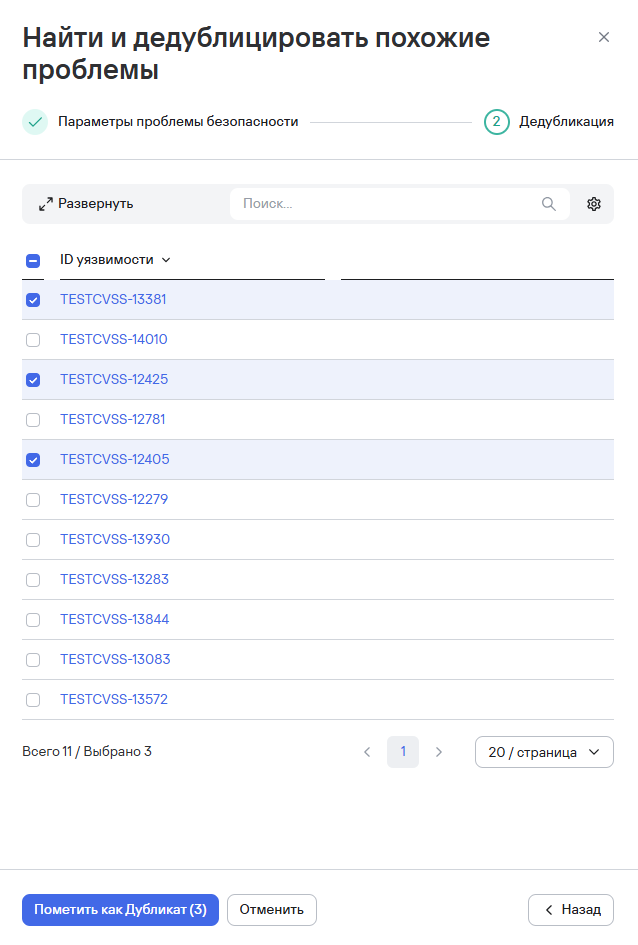
После выполнения этих шагов проблемы будут отмечены как дубликаты и привязаны к новой проблеме, а в интерфейсе системы появится уведомление об этом.